Access
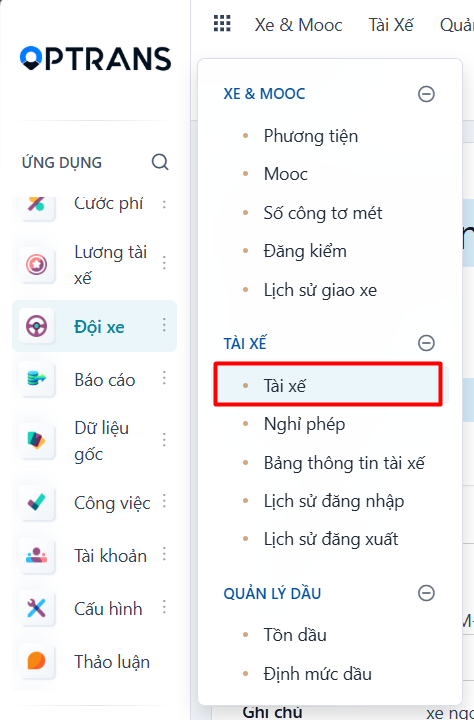
Menu: Fleet > Drivers
Access rights: Users with Master Data management rights
Use the path above to open the screen where you view the driver list.
Steps
Step 1
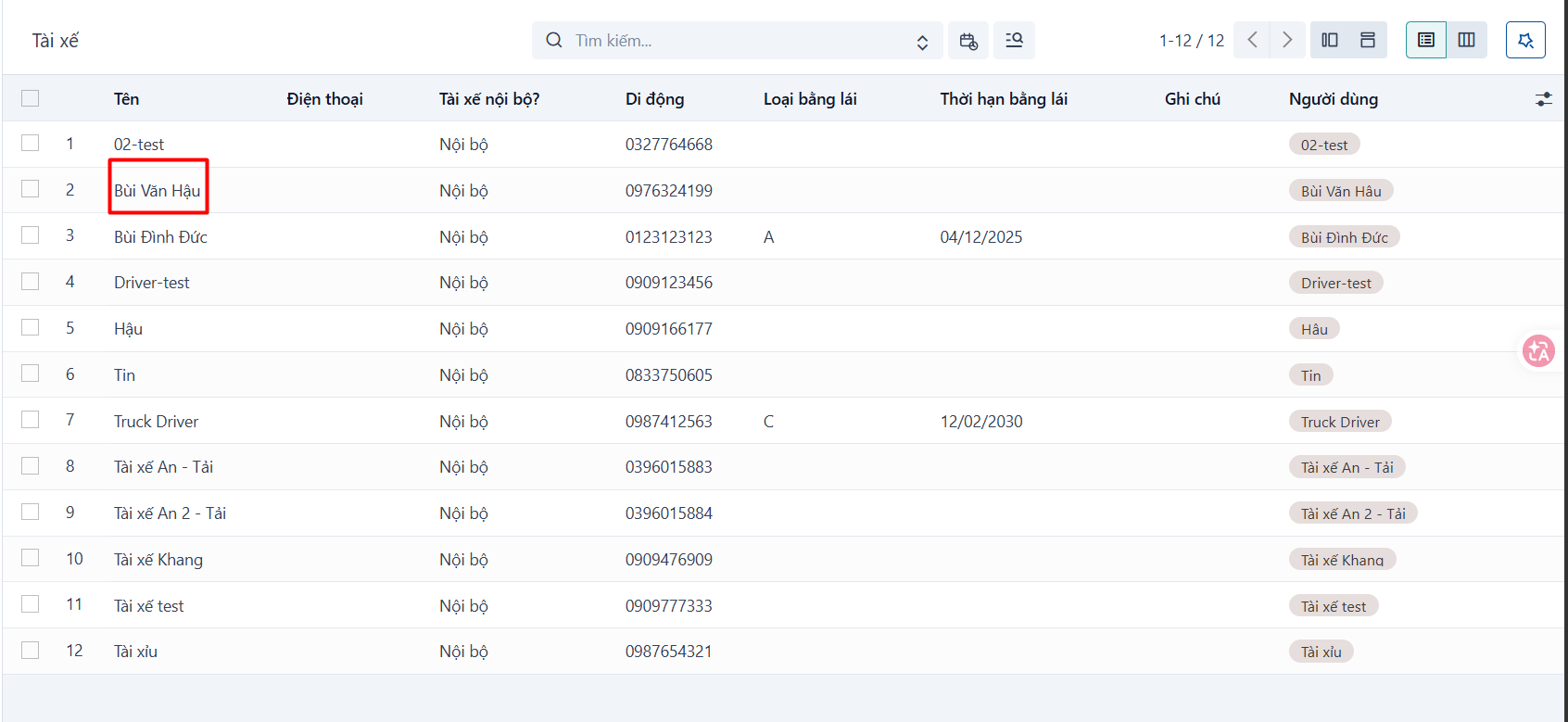
Click a driver to view their details.
Step 2
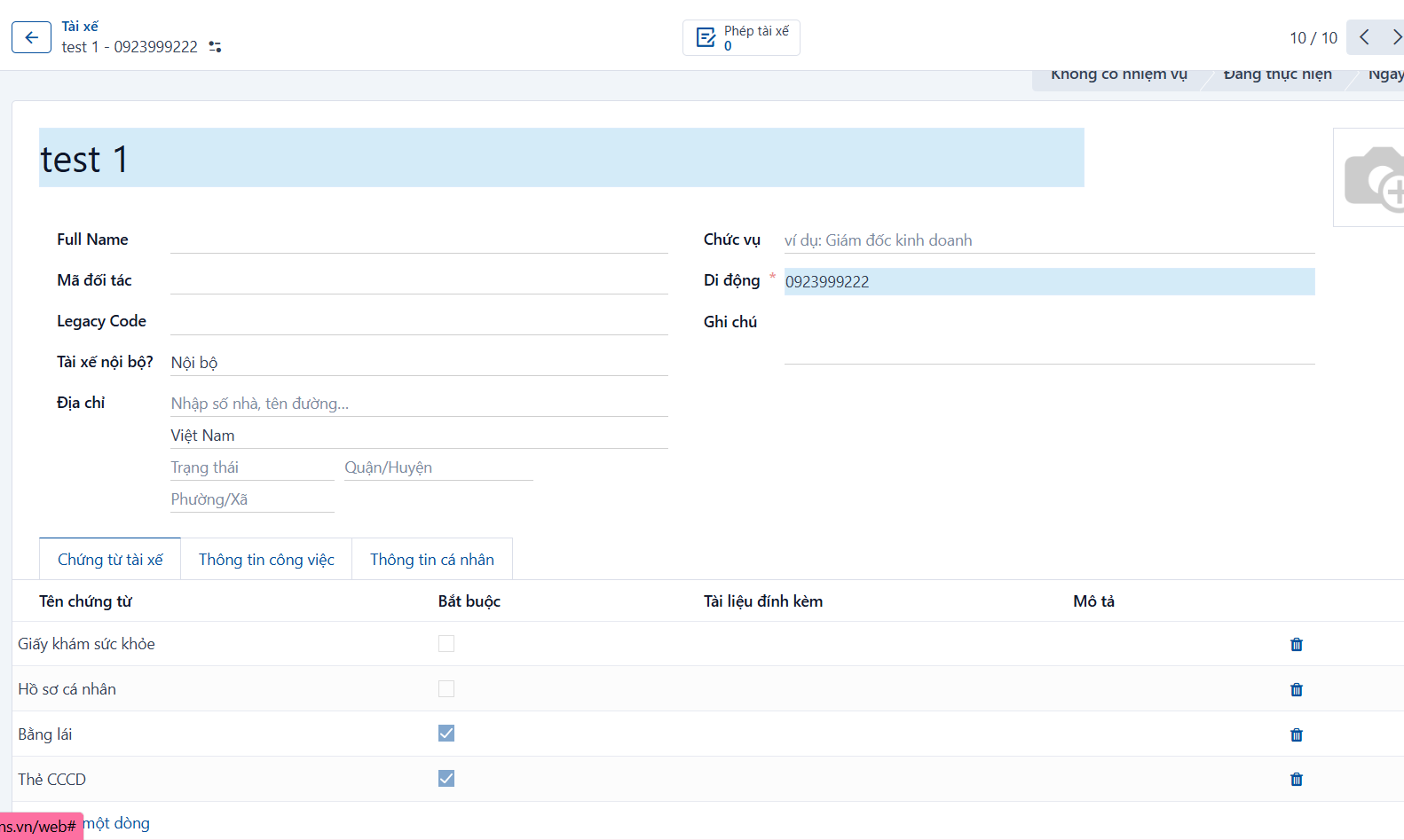
Enter the driver information.
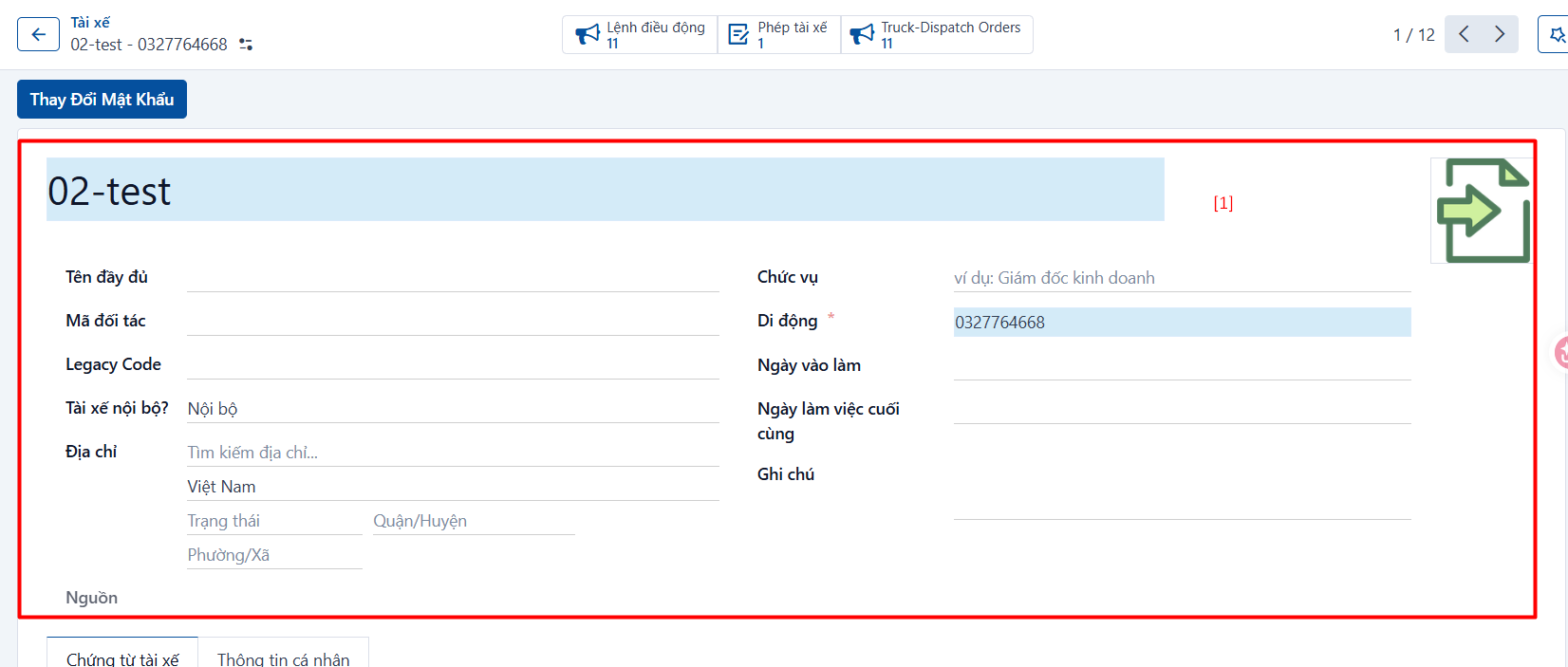
General information [1]
| No. | Field | Notes |
|---|---|---|
| 1 | Driver name | Name of the driver. |
| 2 | Full name | Enter the driver’s full name. |
| 3 | Partner code | Driver code used for internal management and identification. |
| 4 | In-house driver? | Whether the driver is in-house or outsourced. |
| 5 | Owner | Required if the driver is outsourced. |
| 6 | Address | Required. Address of the driver. |
| 7 | Position | Position of the driver. |
| 8 | Mobile | Required. Mobile number of the driver. |
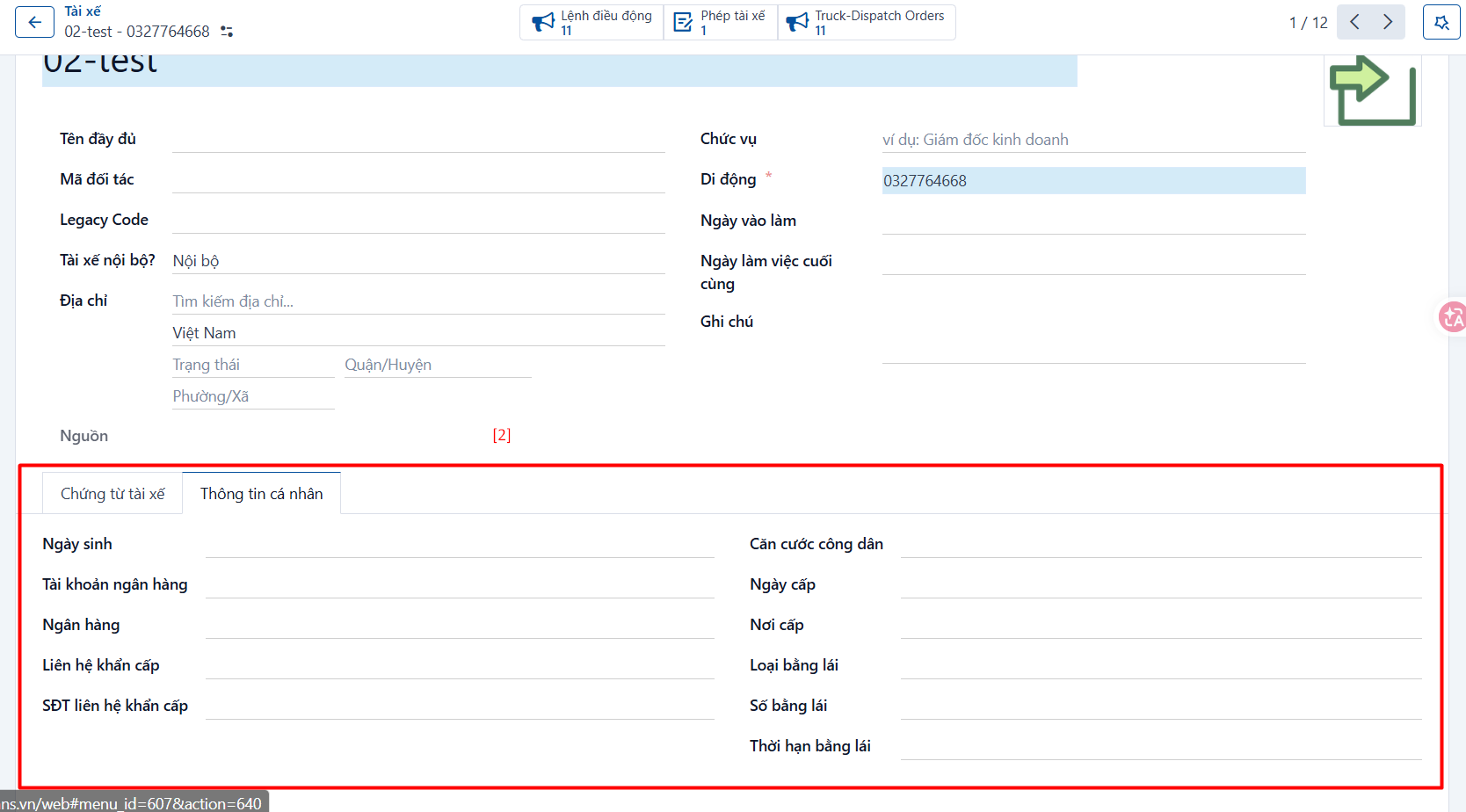
Personal information [2]
| No. | Field | Notes |
|---|---|---|
| 9 | Date of birth | Enter the driver’s date of birth. |
| 10 | Bank account | Enter the driver’s bank account number. |
| 11 | Bank | Enter the name of the bank for that account. |
| 12 | Emergency contact | Enter the name of the driver’s emergency contact. |
| 13 | Emergency contact phone | Enter the phone number of the driver’s emergency contact. |
| 14 | ID card number | Required. The driver’s national ID card number. |
| 15 | Date of issue | Date the ID card was issued. |
| 16 | Place of issue | Place the ID card was issued. |
| 17 | Licence class | The driver’s licence class. |
| 18 | Licence number | The driver’s licence number. |
| 19 | Licence validity | Validity period of the driver’s licence. |
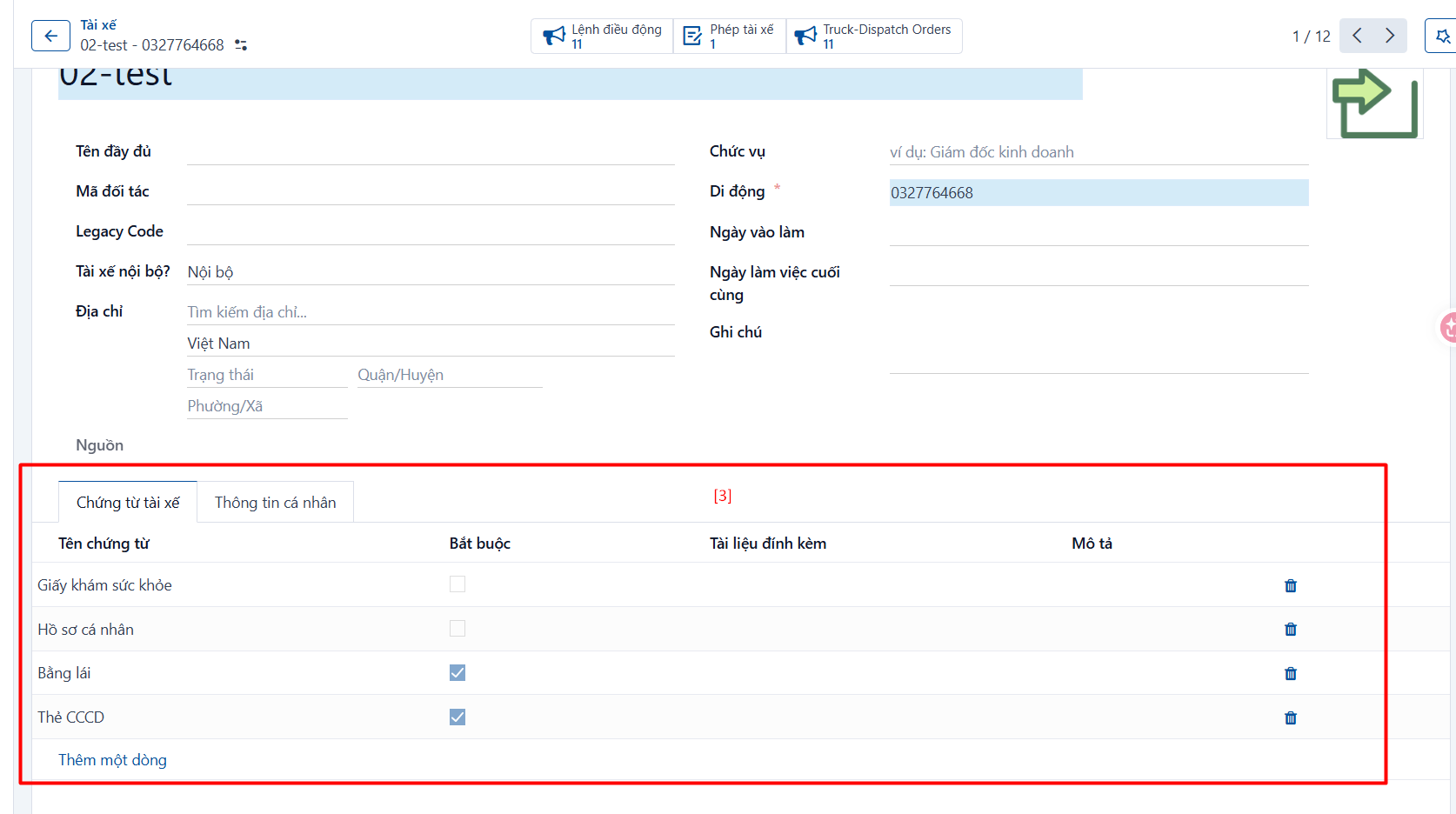
Driver profile information [3]
| No. | Field | Notes |
|---|---|---|
| 20 | Document name | Name of the document in the driver’s profile. |
| 21 | Required | Whether the document is mandatory. |
| 22 | Attachment | The attached document; required when Required = true. |
| 23 | Description | Enter a description. |
Step 3
Click SAVE to save what you have entered.
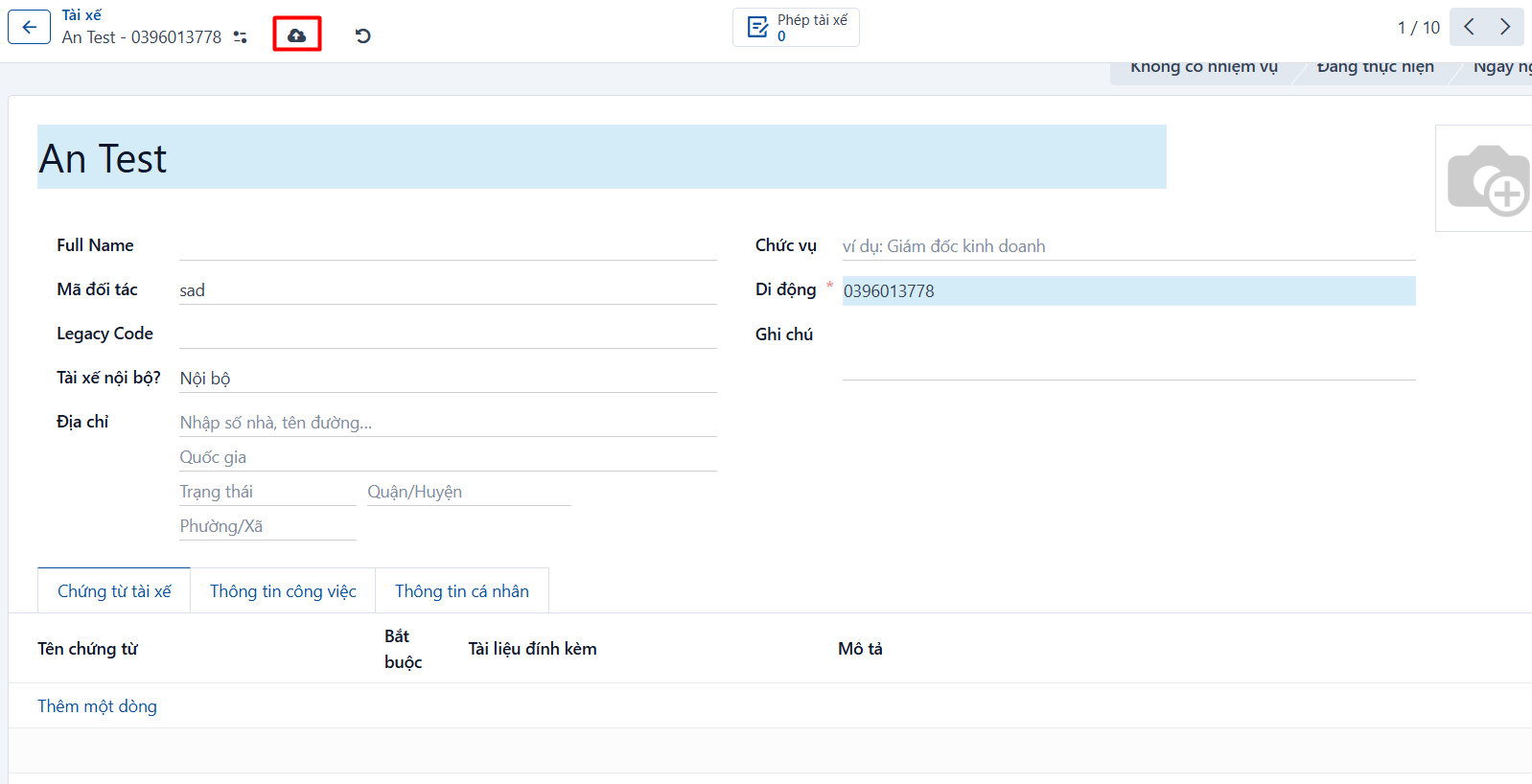
Result
The record after it has been created successfully.