How surcharges are applied
The system only includes a surcharge that is both Confirmed and valid in:
- The total customer freight amount.
- Driver costs.
- Driver salary, where it applies.
For this reason, surcharges must be confirmed before charges are calculated so that the system uses the actual amounts.
Accessing and selecting a document
Step 1
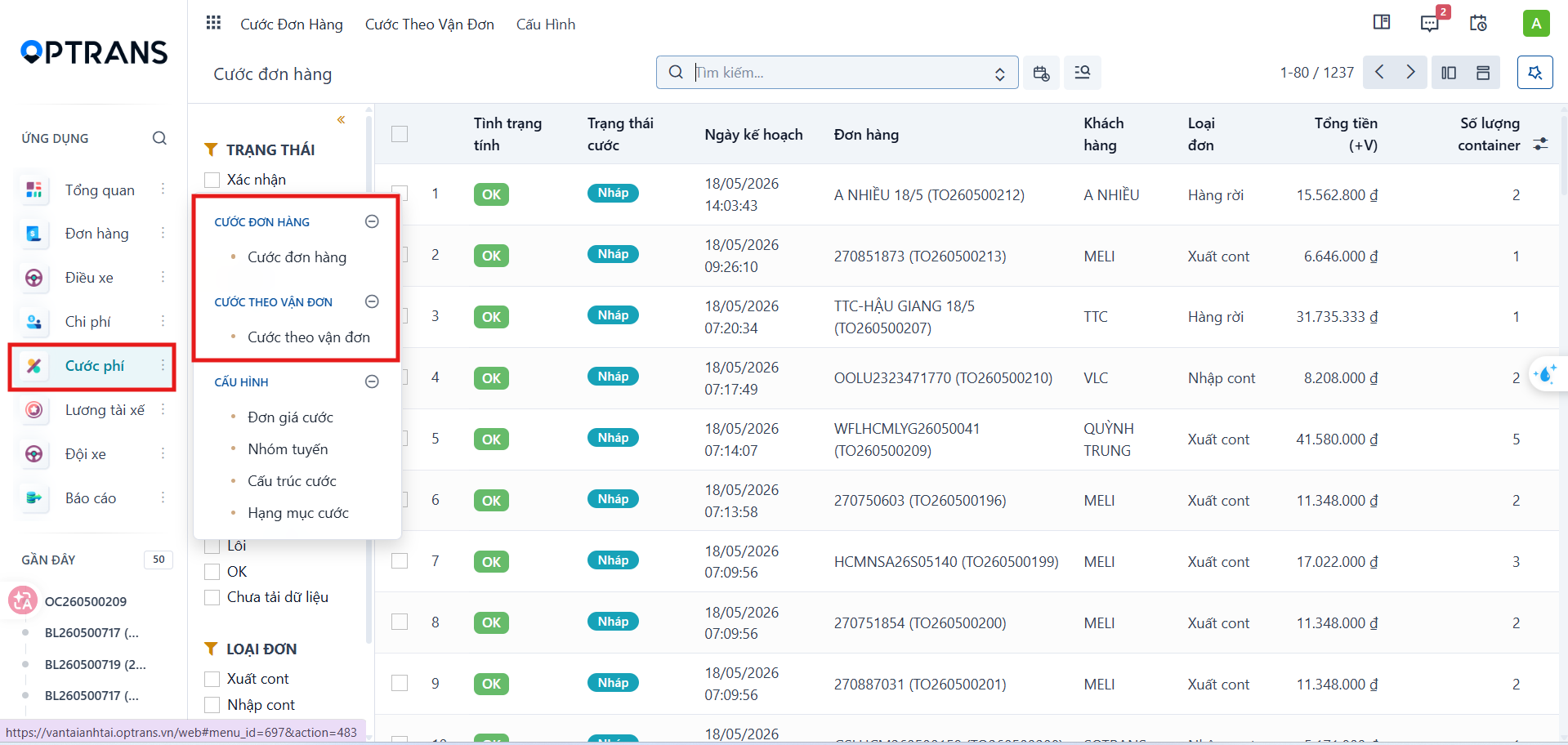
Go to Freight charges > Order charges or Waybill charges.
Step 2
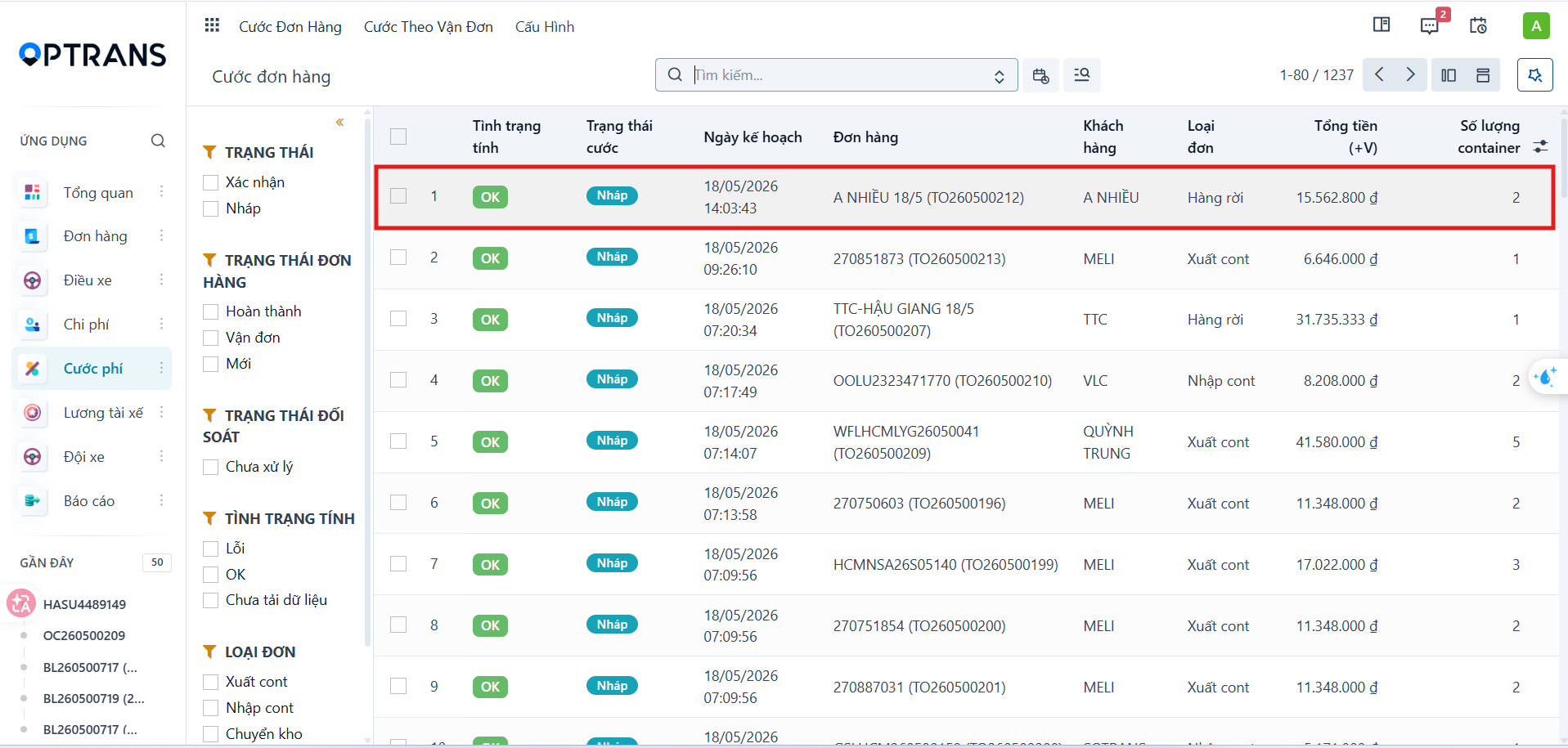
On the charge list, select the order or waybill whose surcharges you want to update.
Open the charge details page for the selected document.
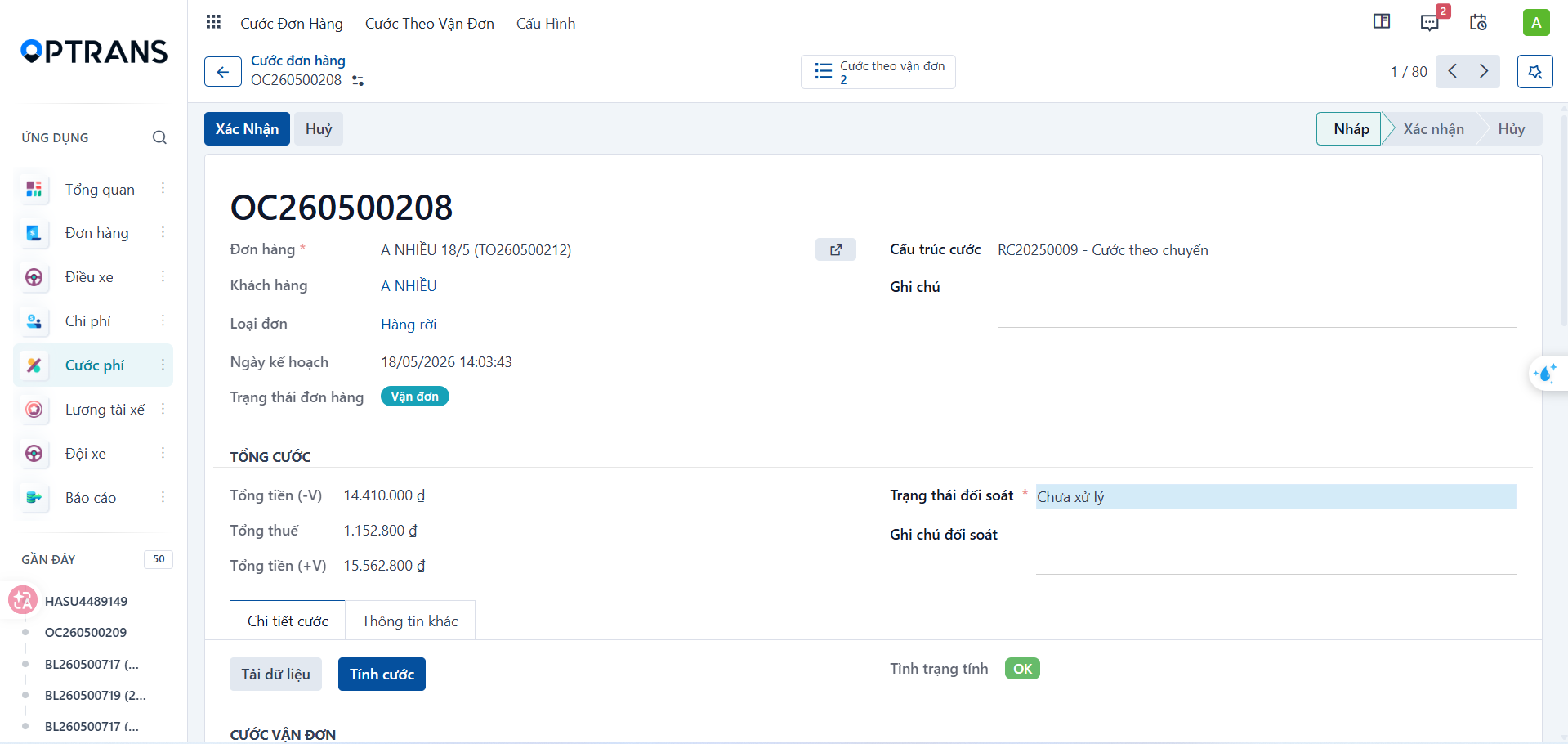
Opening the document details
Step 3
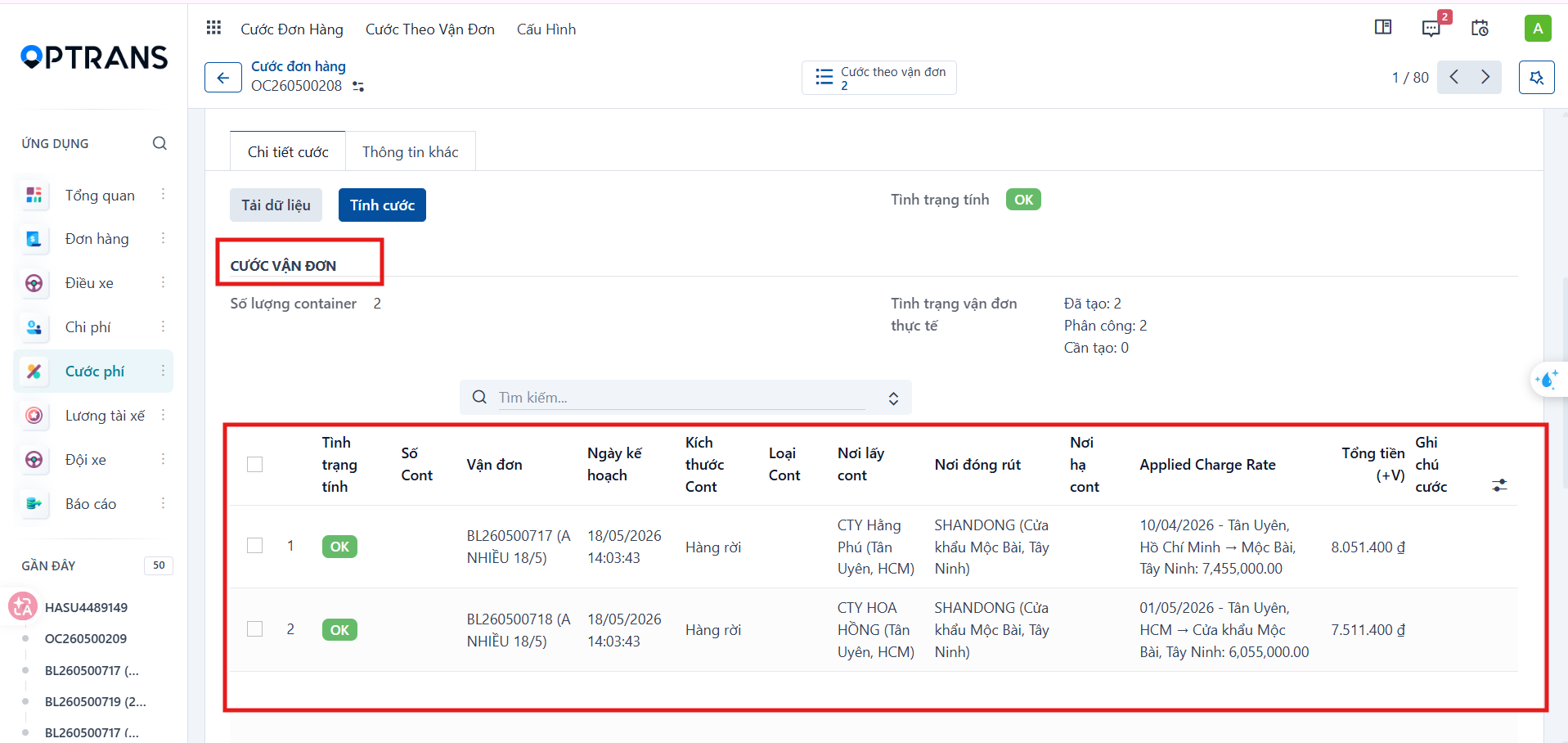
If you are updating surcharges per waybill, go to the Waybill charges section, select the waybill you need and open its details.
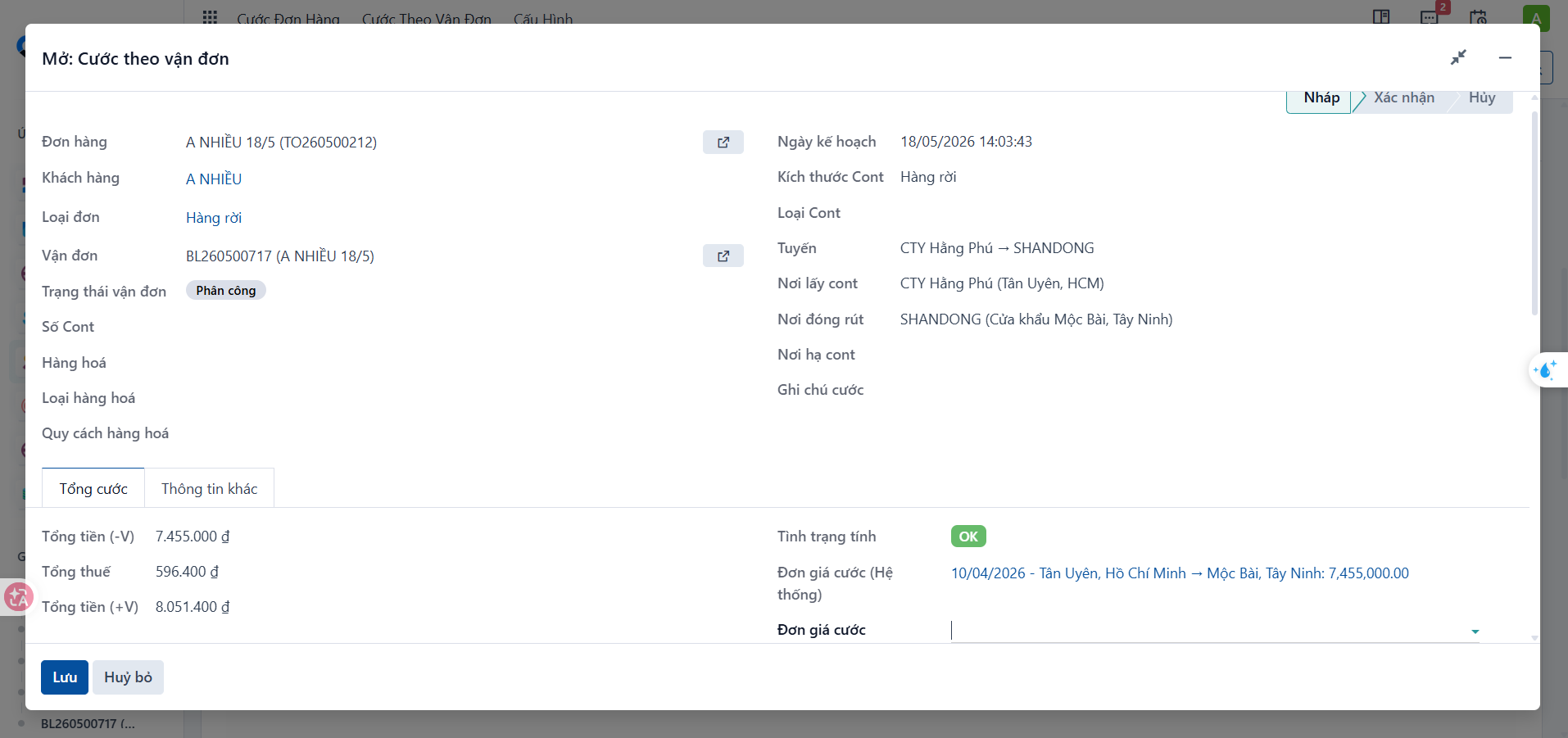
Step 4
In the Open: Waybill charges popup, open the related waybill.
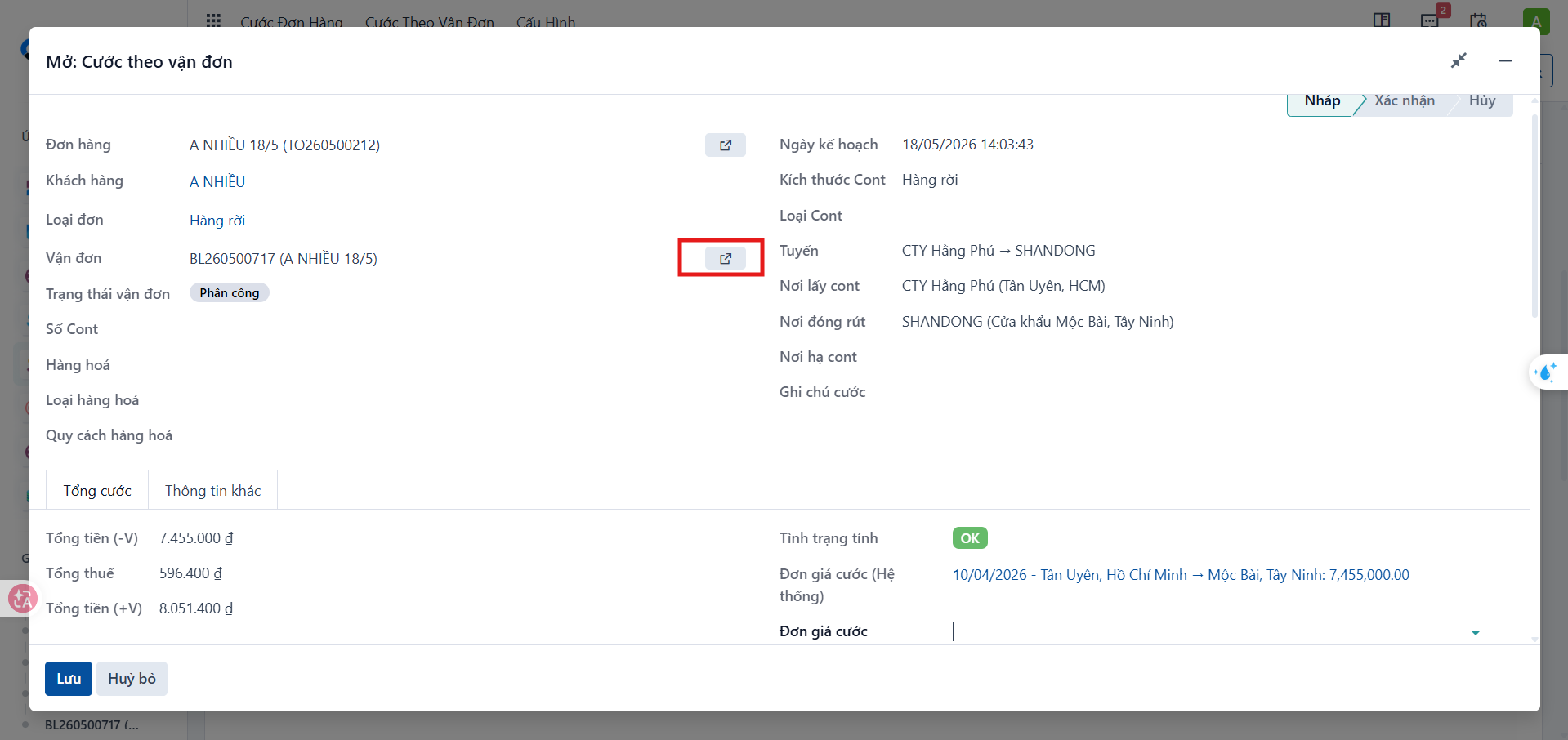
Step 5
On the order or waybill details screen, scroll down to the row of business tabs.
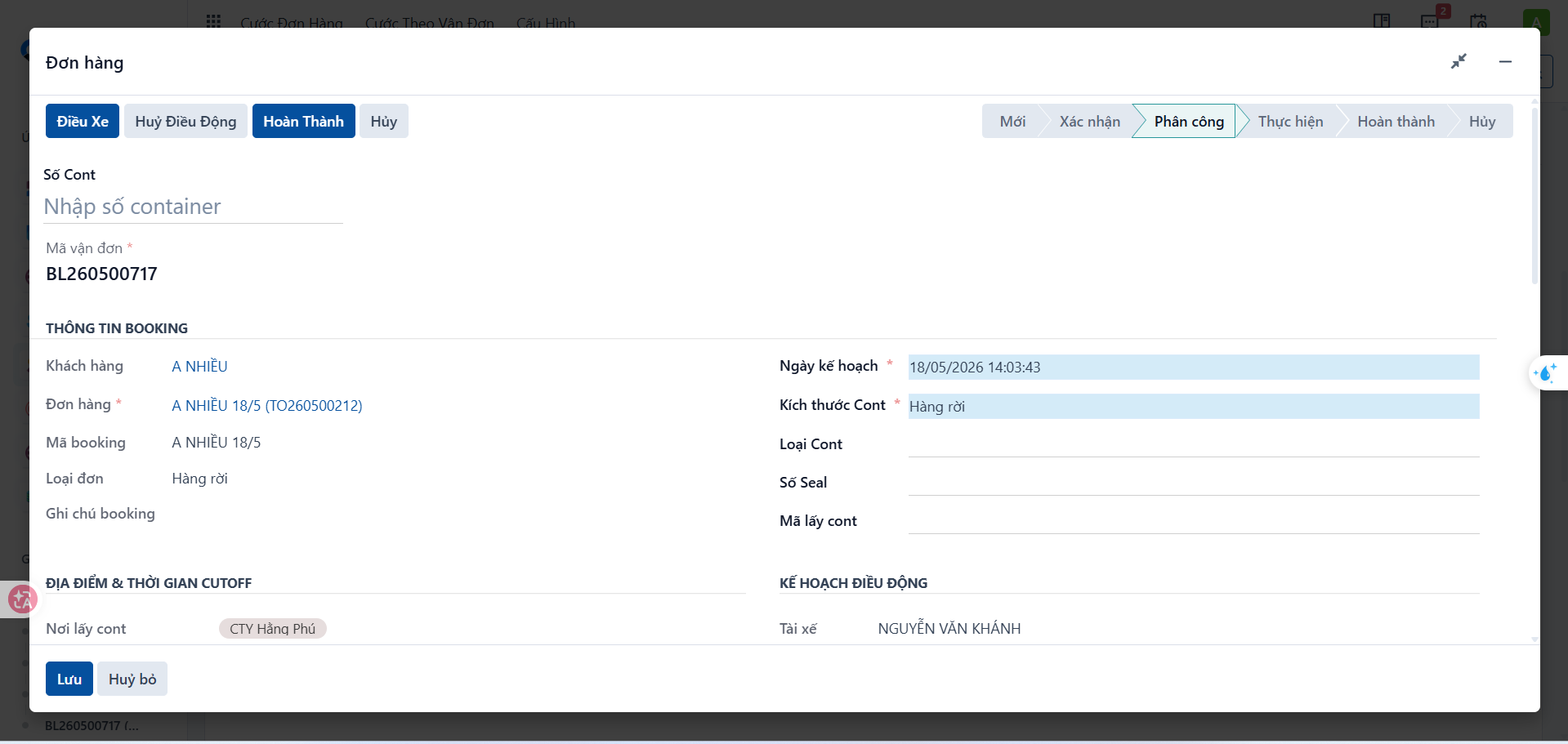
Select the Surcharge tab.
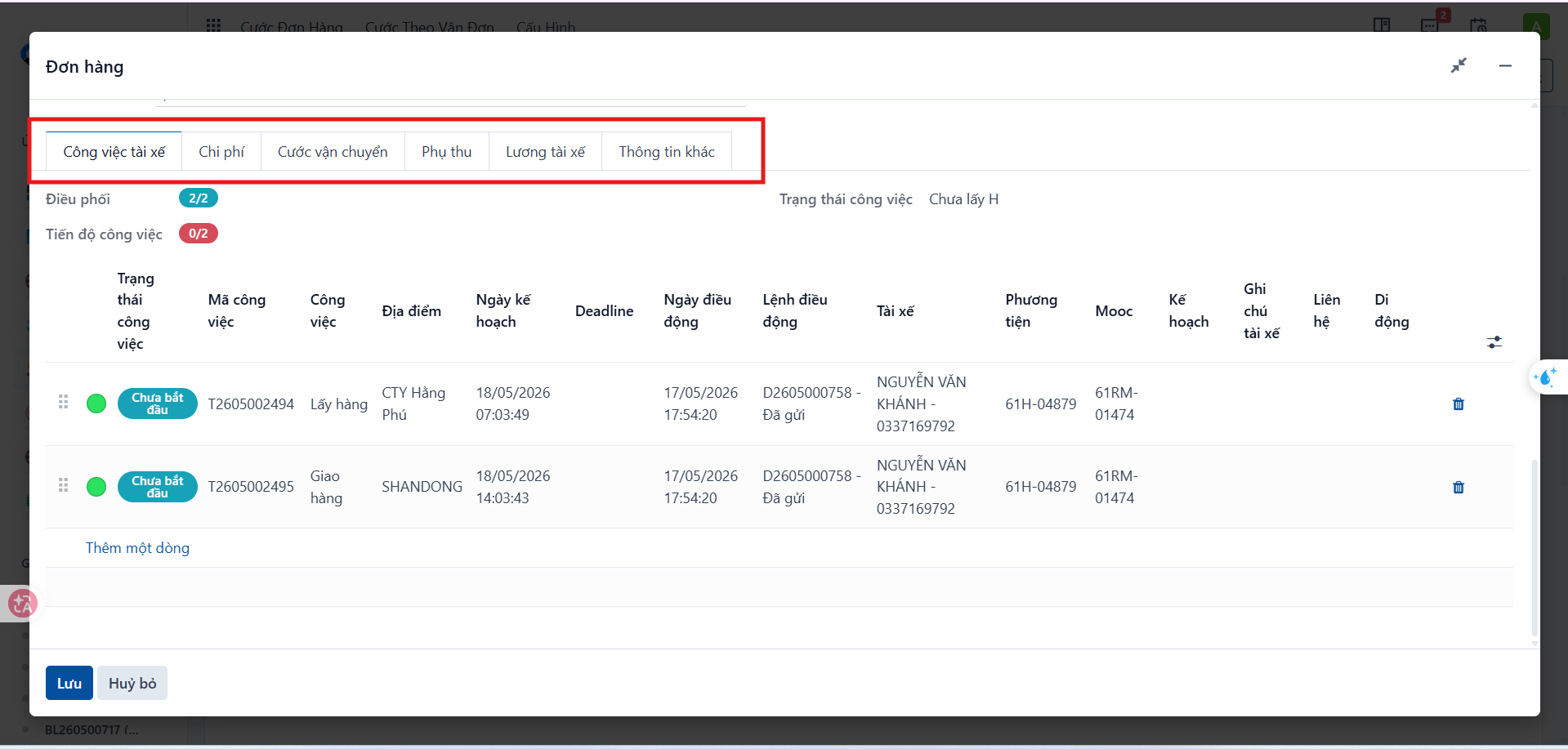
Confirming a surcharge
Step 6
On the Surcharge tab, select the surcharge you want to apply, click Confirm, then enter the actual surcharge amount.
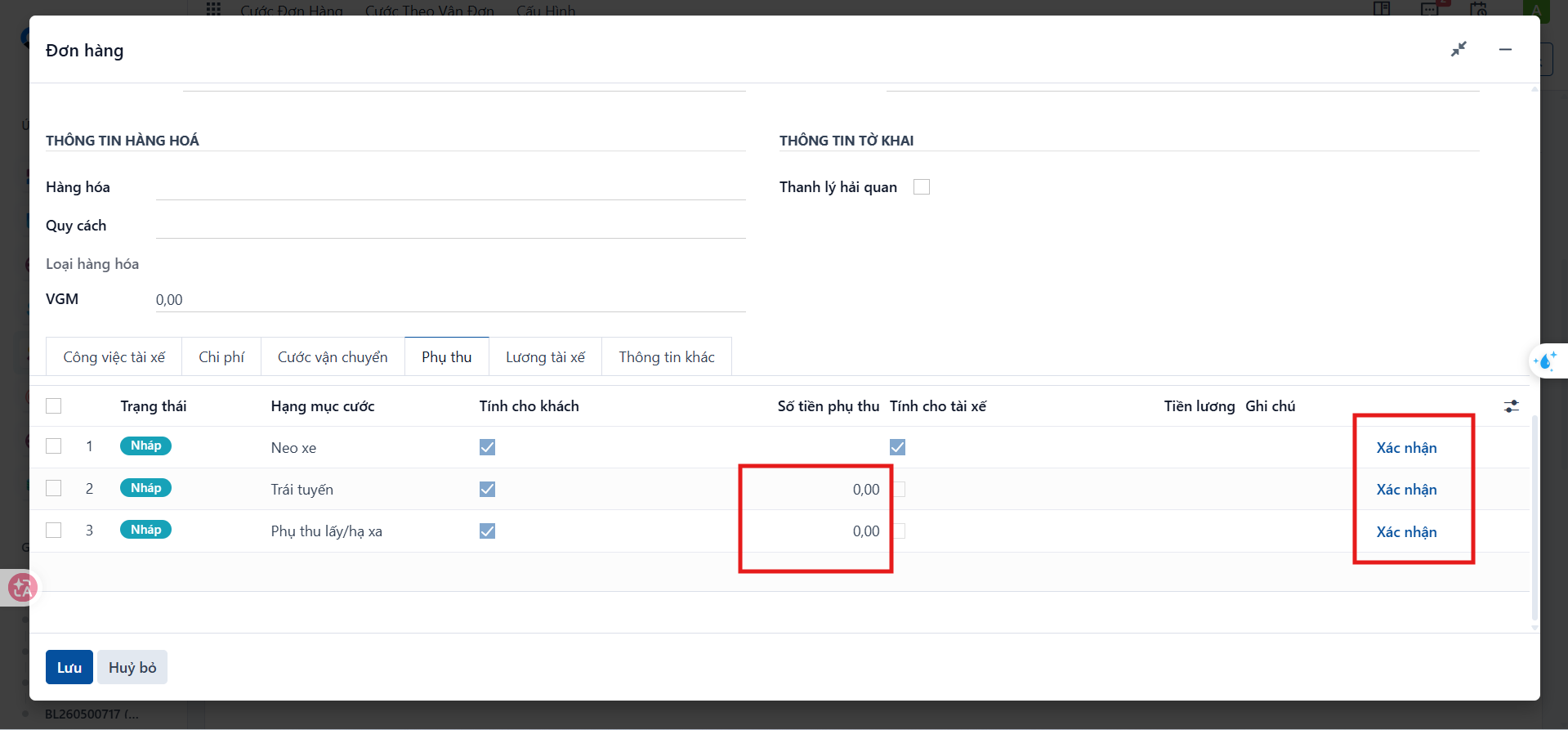
Check the actual amount and the confirmation status of each surcharge before returning to the freight charge screen.
Important: Only a surcharge that is both confirmed and valid is added to the total customer freight amount, the driver costs or the driver salary. An unconfirmed surcharge is not included in the calculation.
Loading the data and calculating charges
Once all surcharges are confirmed, return to the freight charge screen and click Load data and then Calculate to update the result.
If the surcharges are not confirmed, the total freight amount may be incomplete, the result will not match reality, and the customer or driver costs may be wrong.