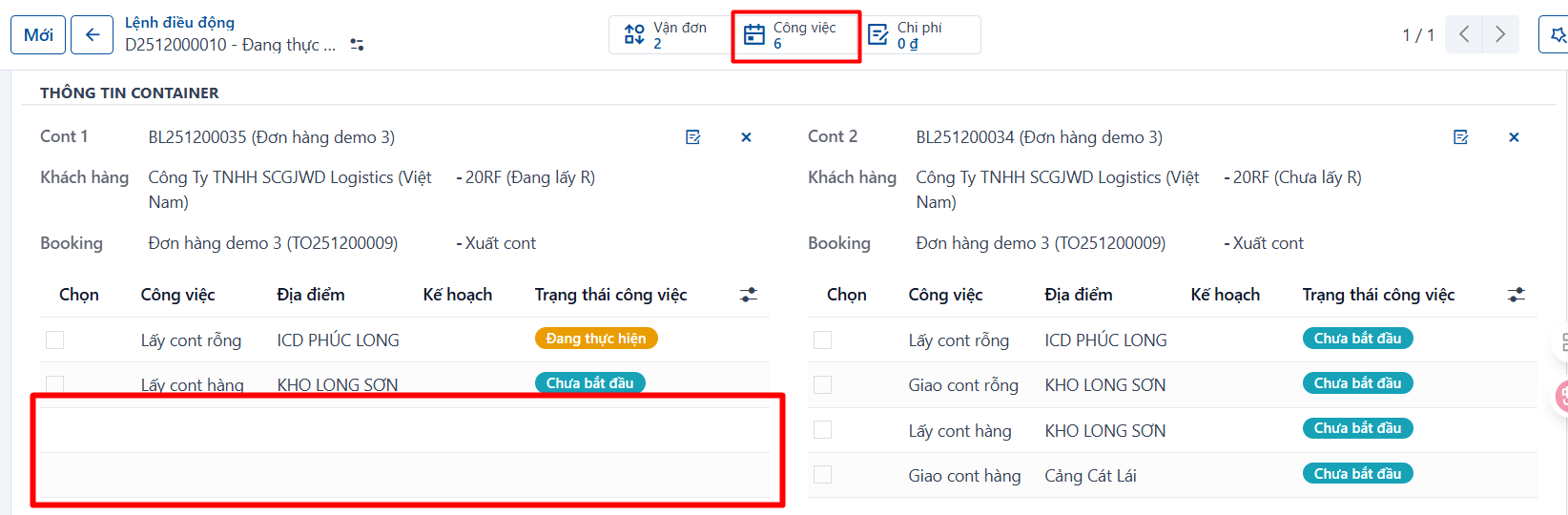
If the dispatcher wants to delete a task from the waybill entirely, do the following:
Note: a deleted task is gone from the waybill completely. To get it back you have to add it again on the waybill.
Step 1
The dispatcher selects the dispatch order with the tasks to delete:
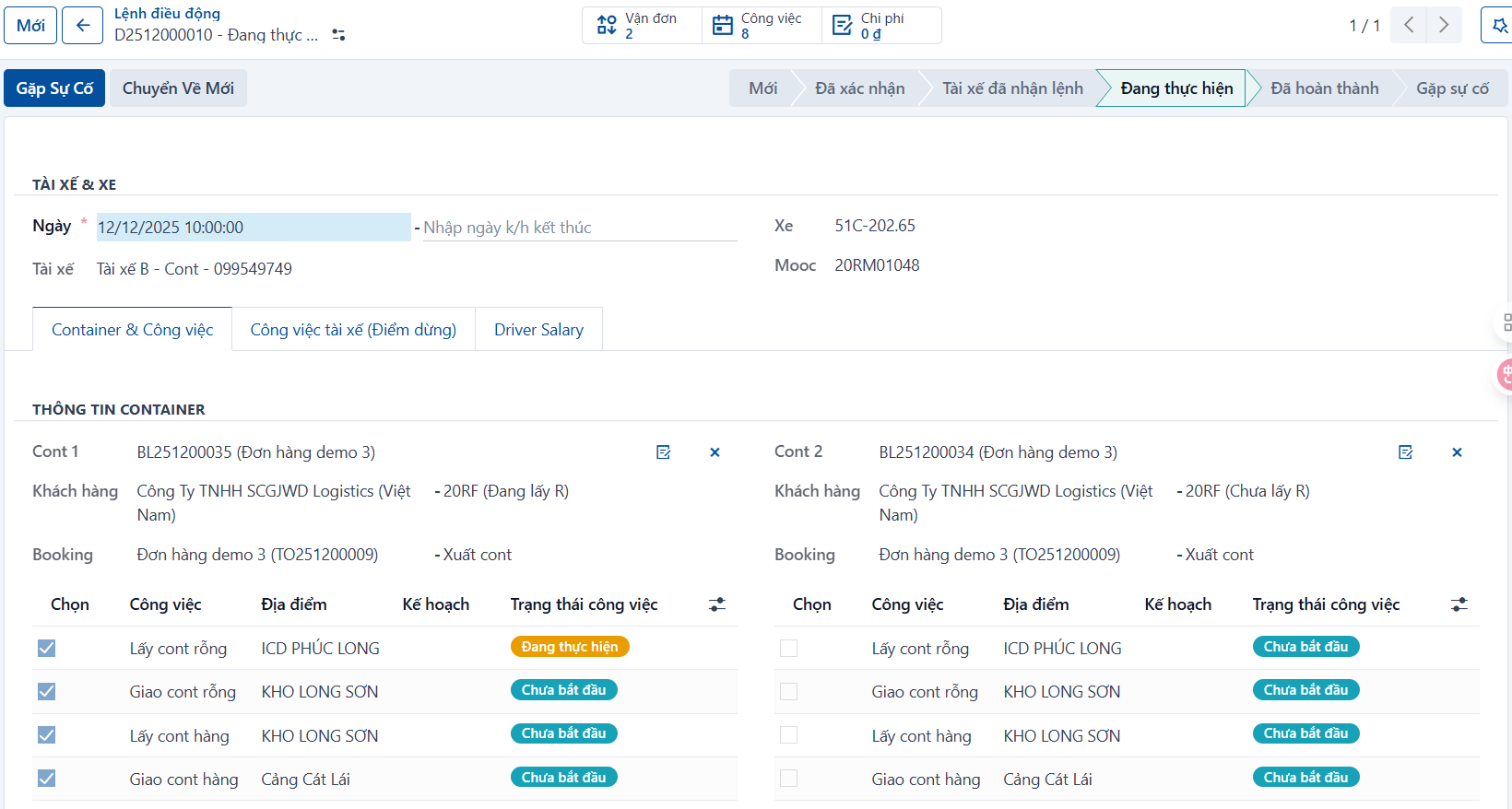
Step 2
Select the tasks to delete.
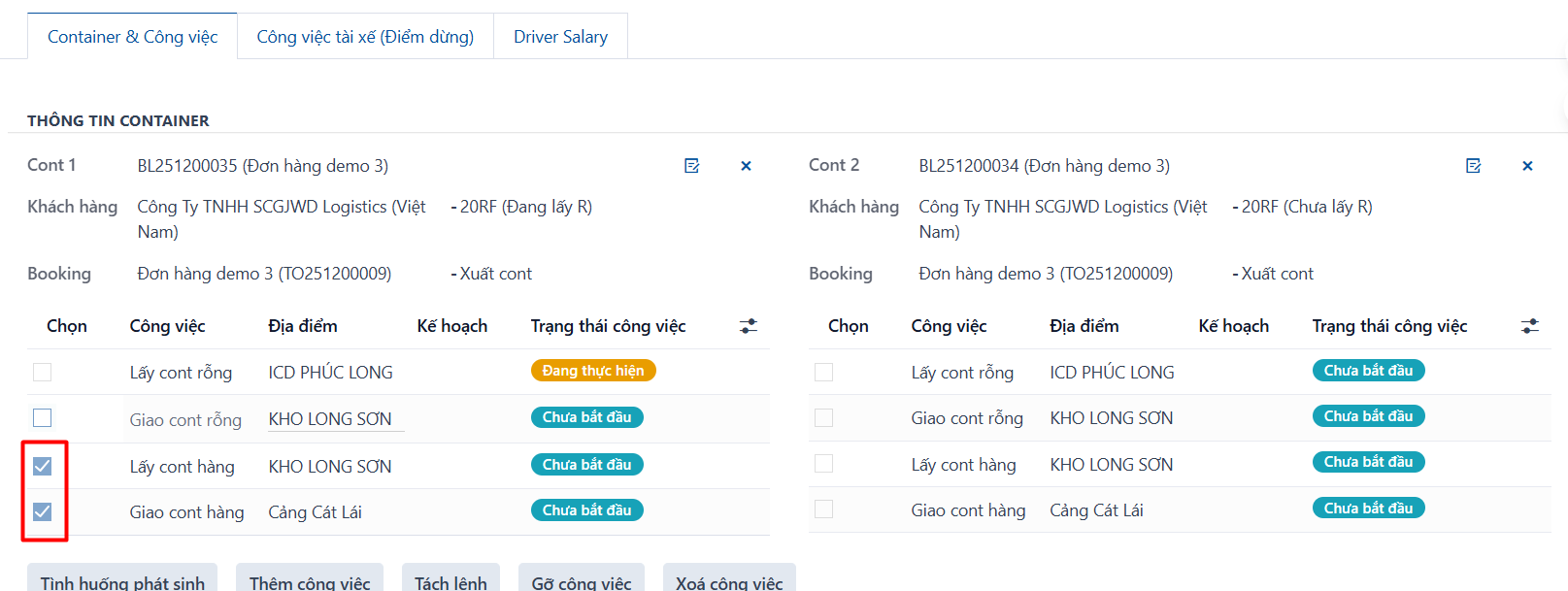
Step 3
Click “Delete task”, then click “OK” in the confirmation dialog.
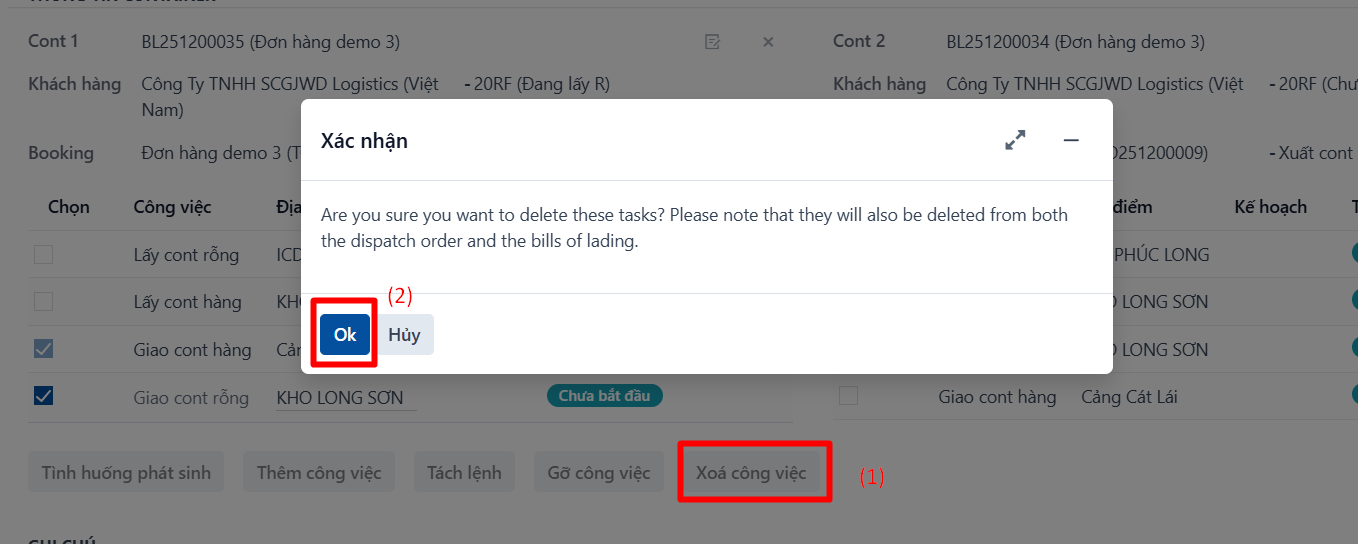
Result: the selected tasks have been deleted completely from both the order and the waybill.