Once you have created a new filter with Option 3 in Filtering data, the system shows a Filter Navigation Bar below the search bar so you can work faster.
How to use it:
-
Click each tab on the bar to apply the matching filter condition.
-
The data on screen updates automatically according to the filter you selected.
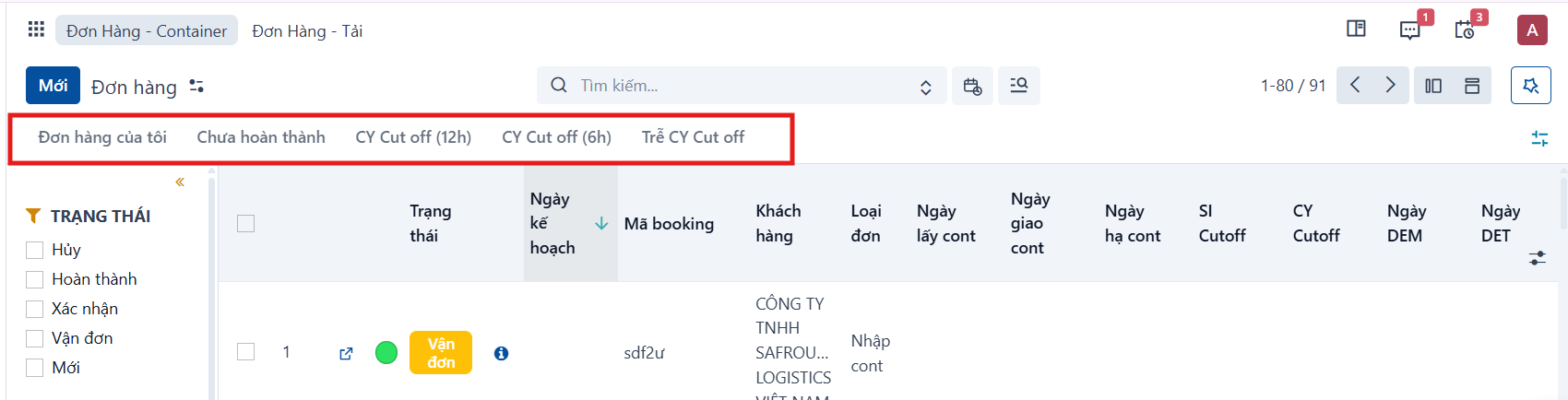
You can also show or hide the filter bar to suit how you work.
Step 1
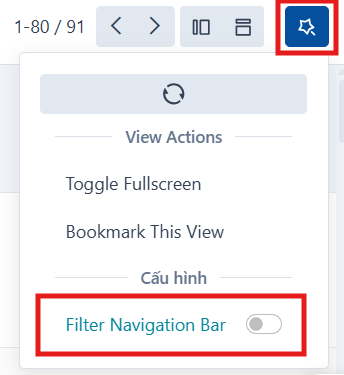
Click the  icon in the top right corner (View Actions).
Step 2
Find the ‘Filter Navigation Bar’ option:
-
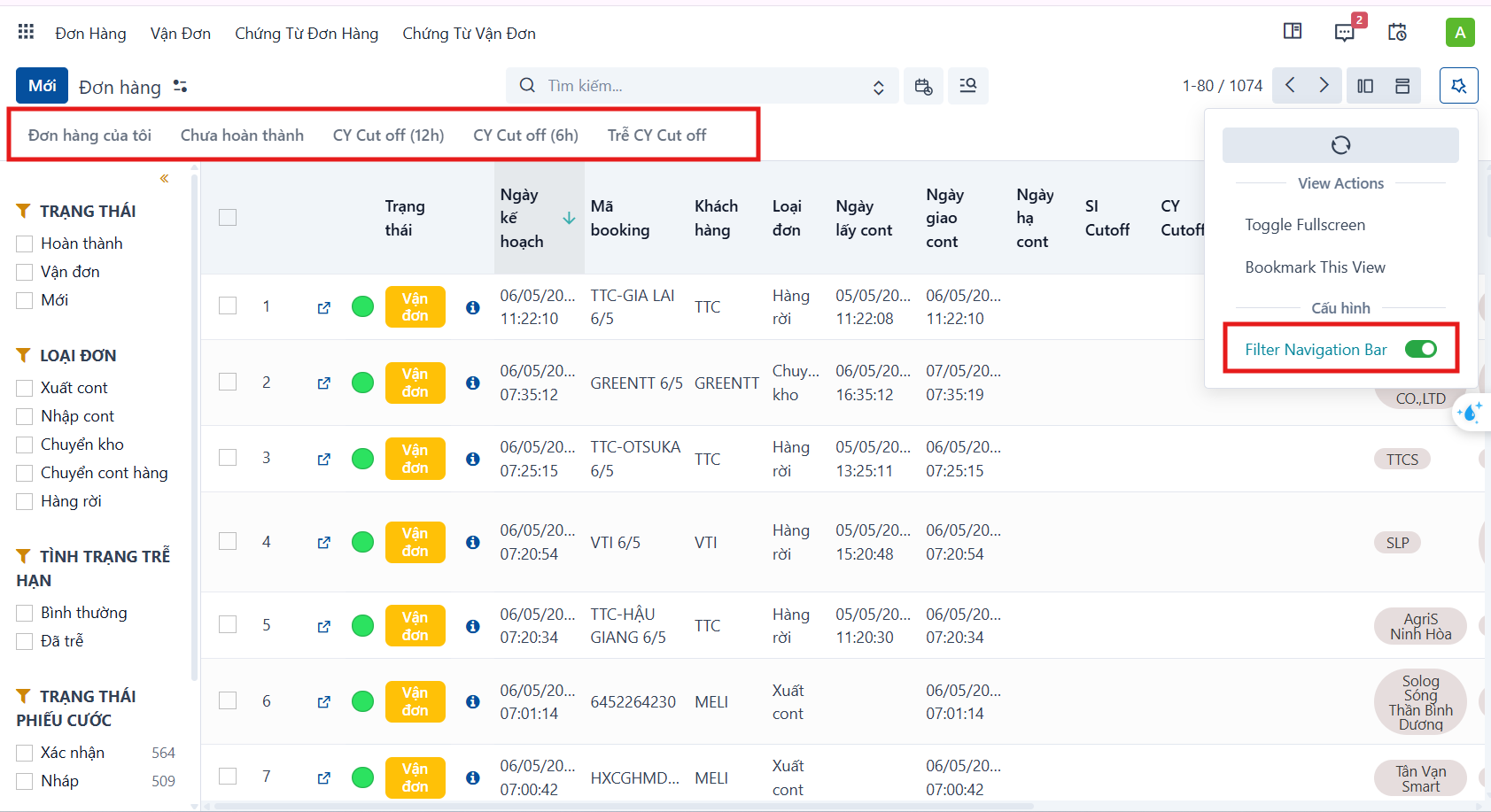
ON: show the filter bar.
-
OFF: hide the filter bar.
The result once it is on:
PREVIOUSFiltering data
NEXTThe date filter