Use this when an account needs to be deleted — for example, a duplicate or a mistakenly created account.
Steps
Step 1
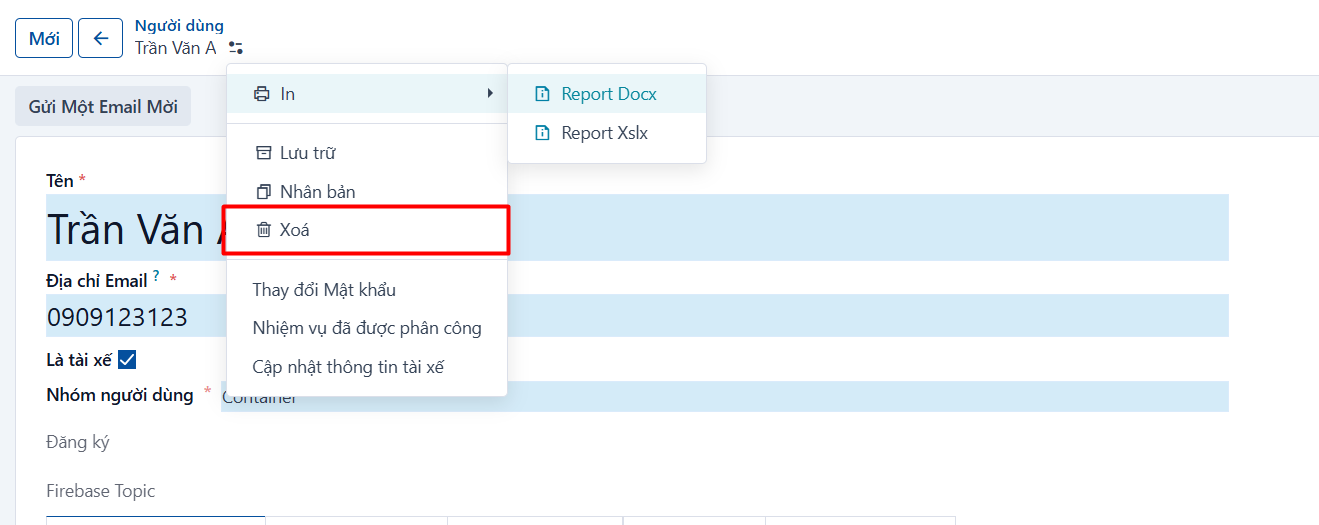
Open the account to delete → click the icon  → click “Delete”
Step 2
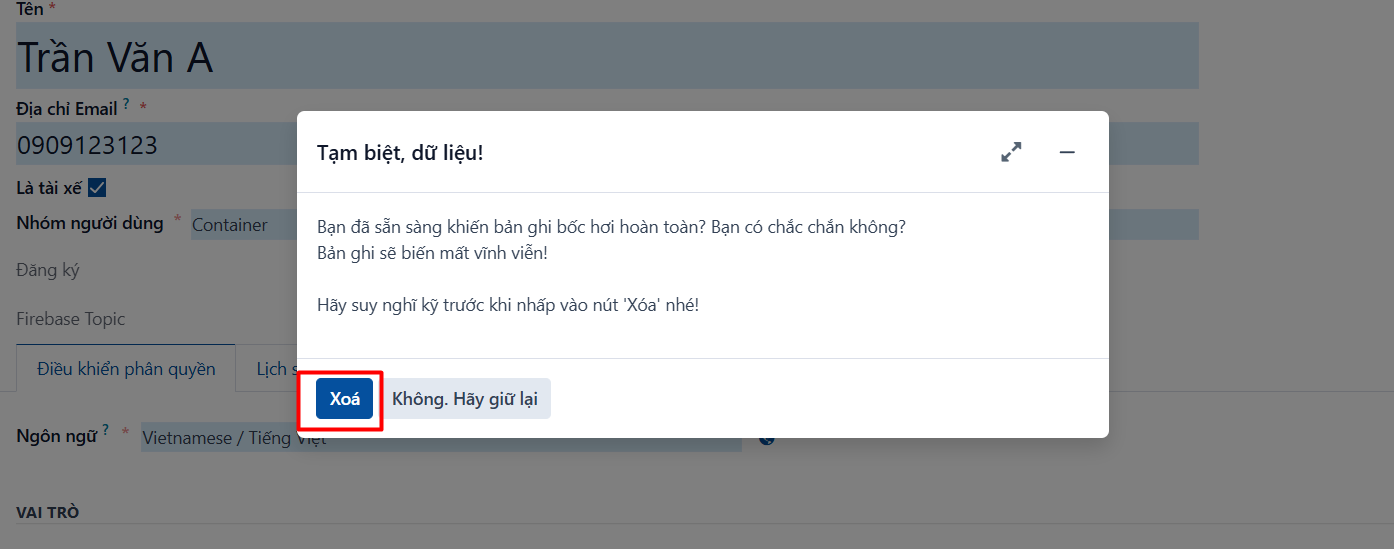
The system asks for confirmation → click OK to confirm
PREVIOUSArchive an account
NEXTCustomers