Steps
Step 1
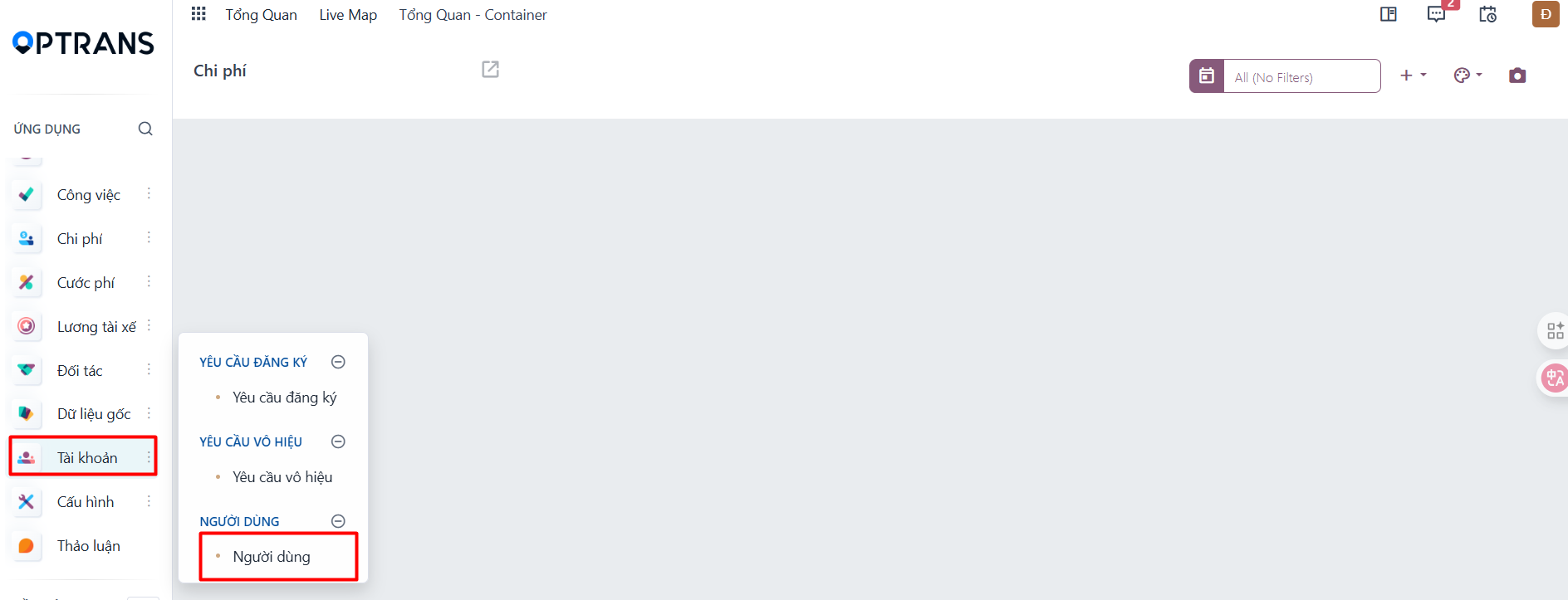
Go to the Settings module → open the Users menu → click the New button

Step 2
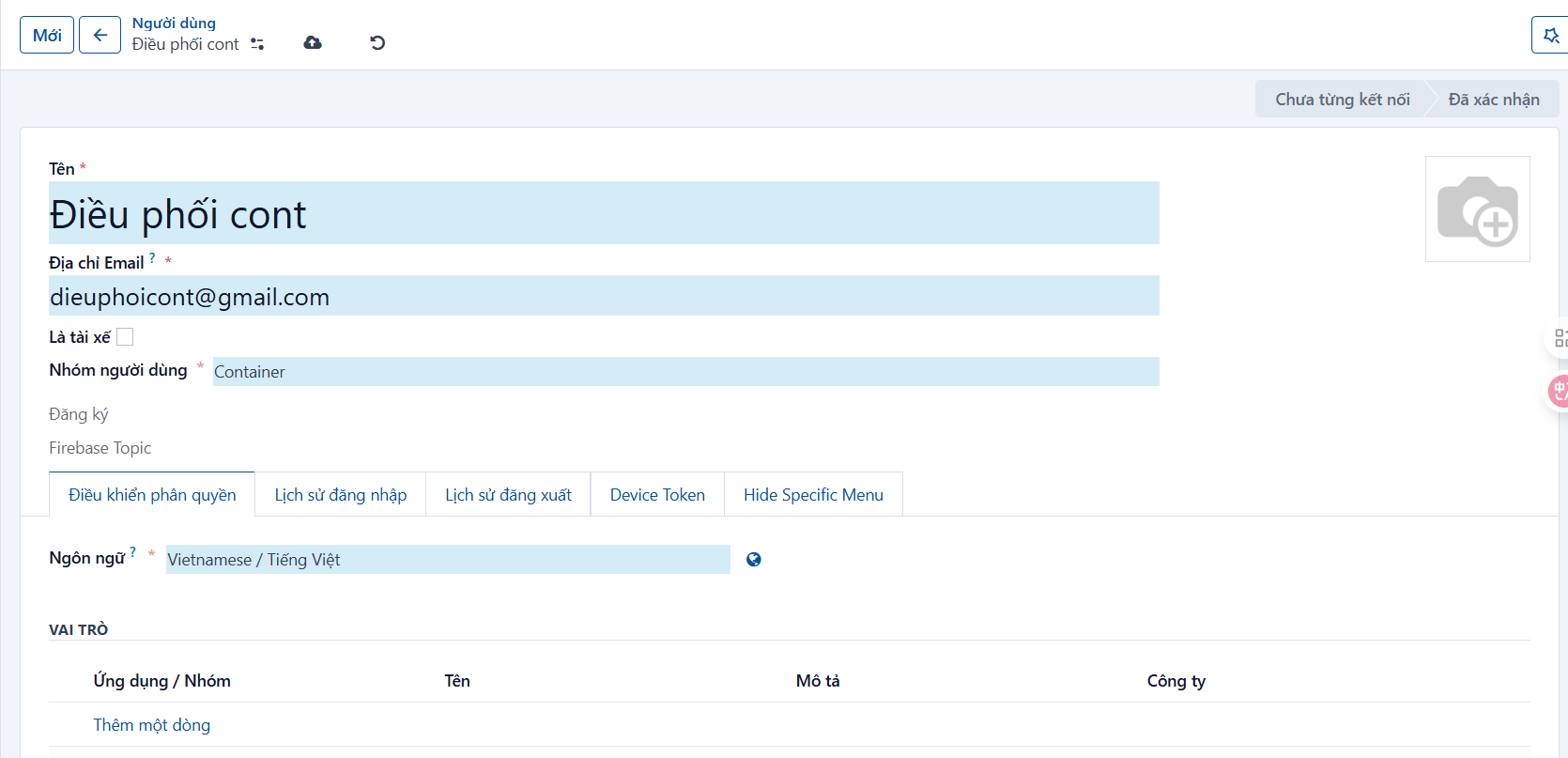
Enter the login information
- Name: enter the dispatcher’s name
- Email Address: enter the dispatcher’s company email
- User Group: defaults to “Container”
- Is Driver: do NOT check this field
Step 3
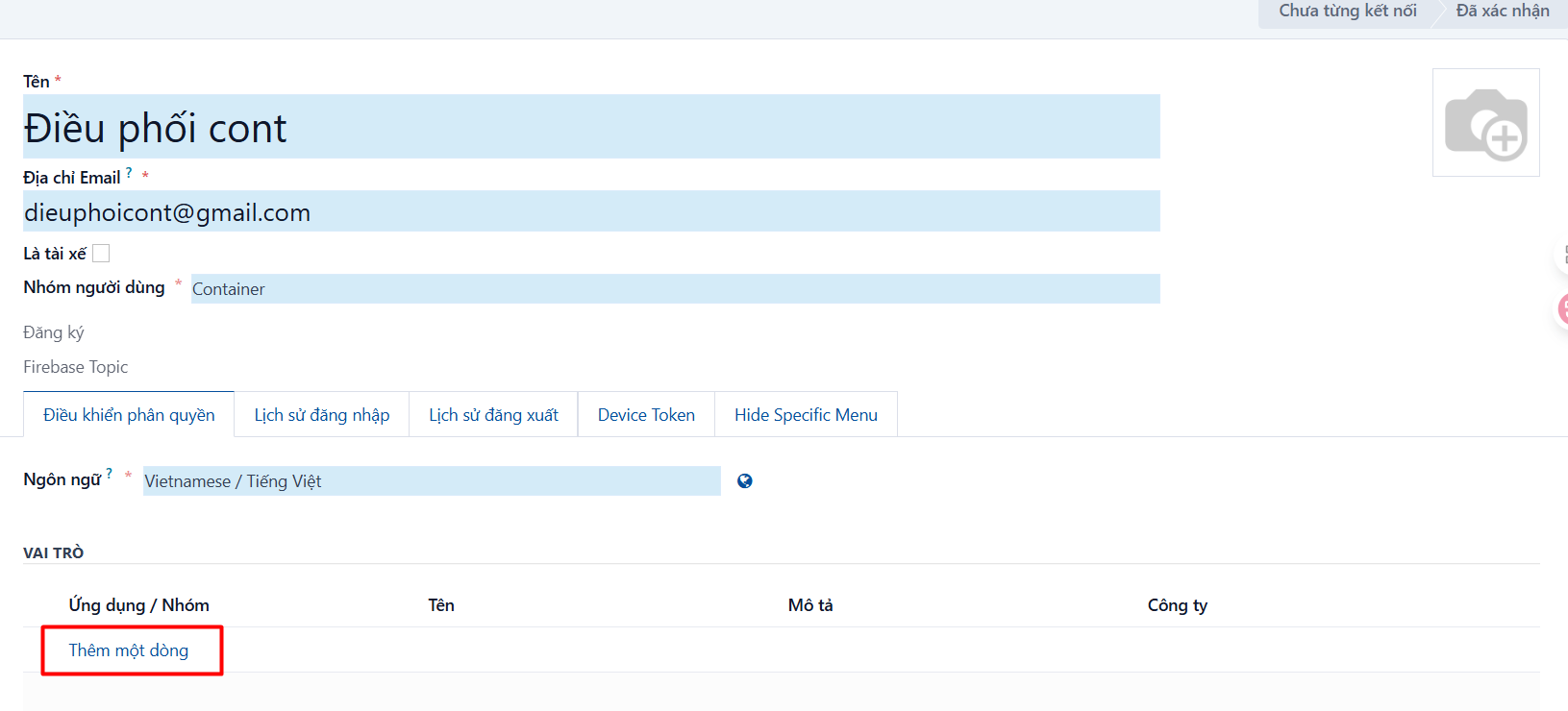
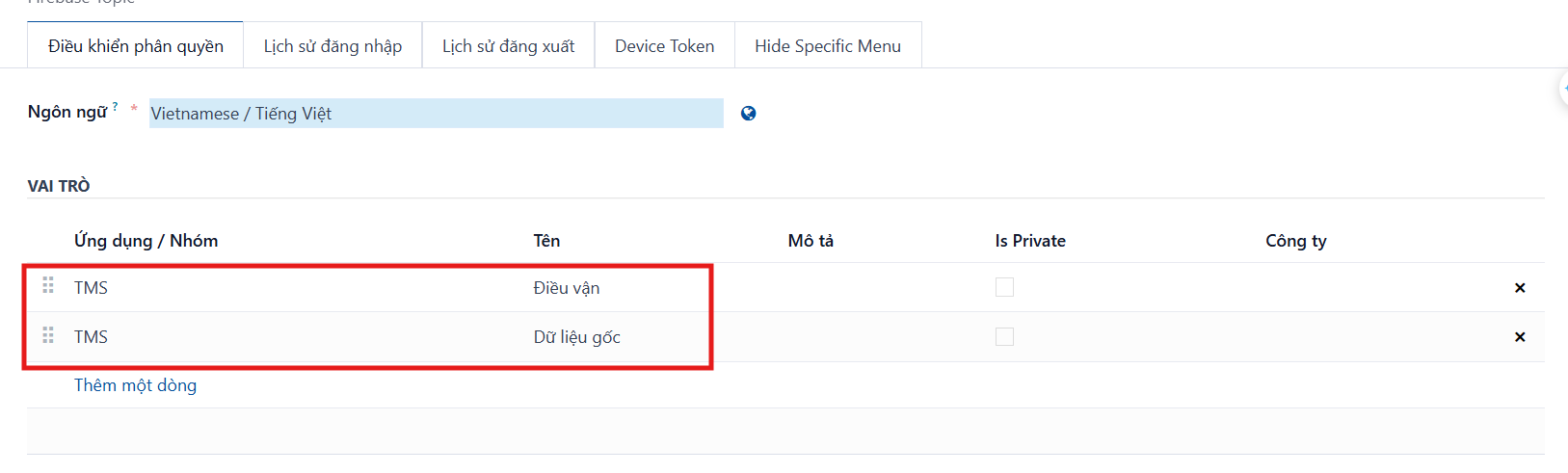
Click Add a line → find and select the “Dispatcher” role
Step 4
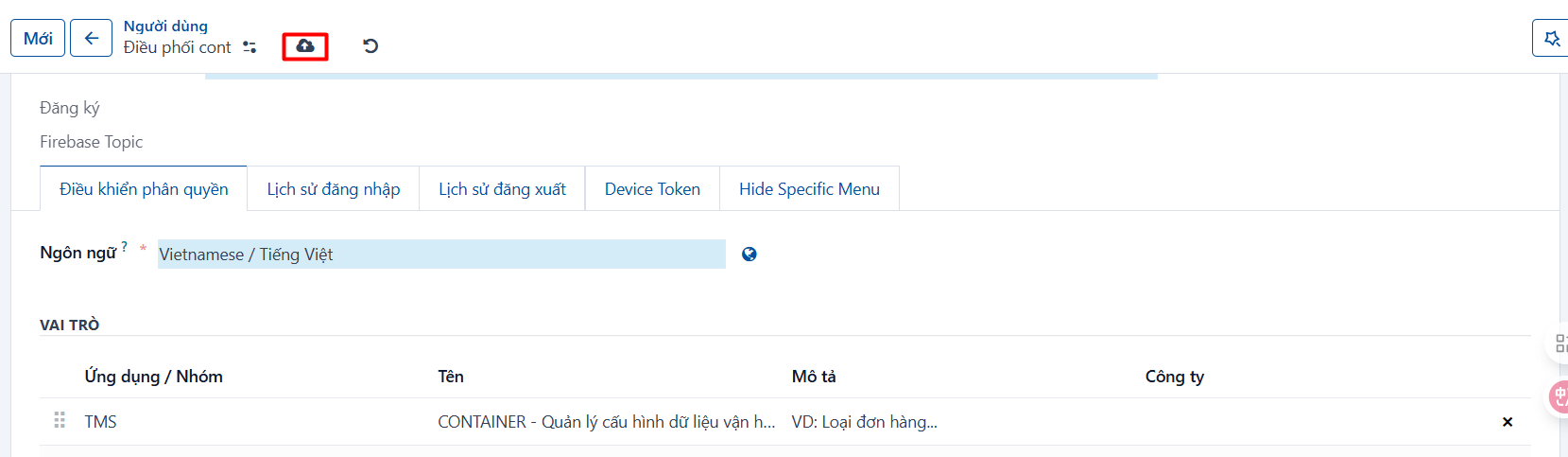
Click the Save button, or press CTRL + S, to finish creating the account.
Step 5
Set an initial password for the account
-
Click the action button
 → select “Change Password”: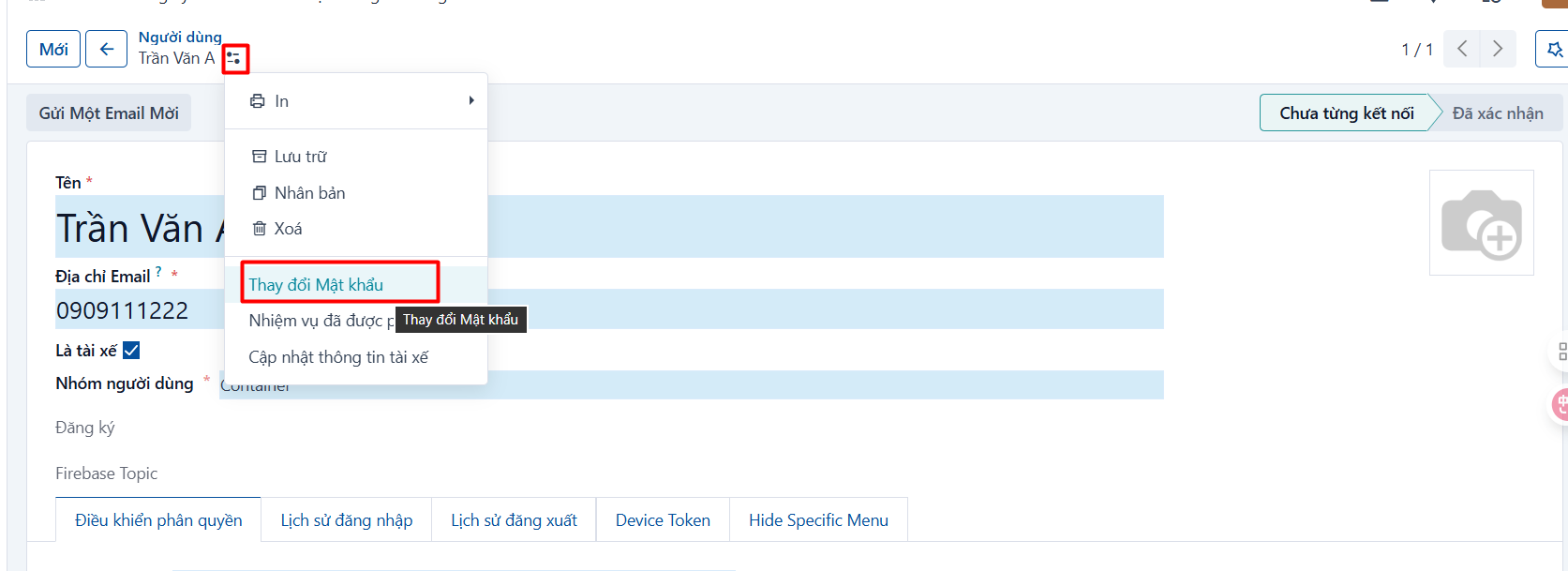
-
The change-password popup appears → enter the new password in the “New Password” field and click CHANGE PASSWORD
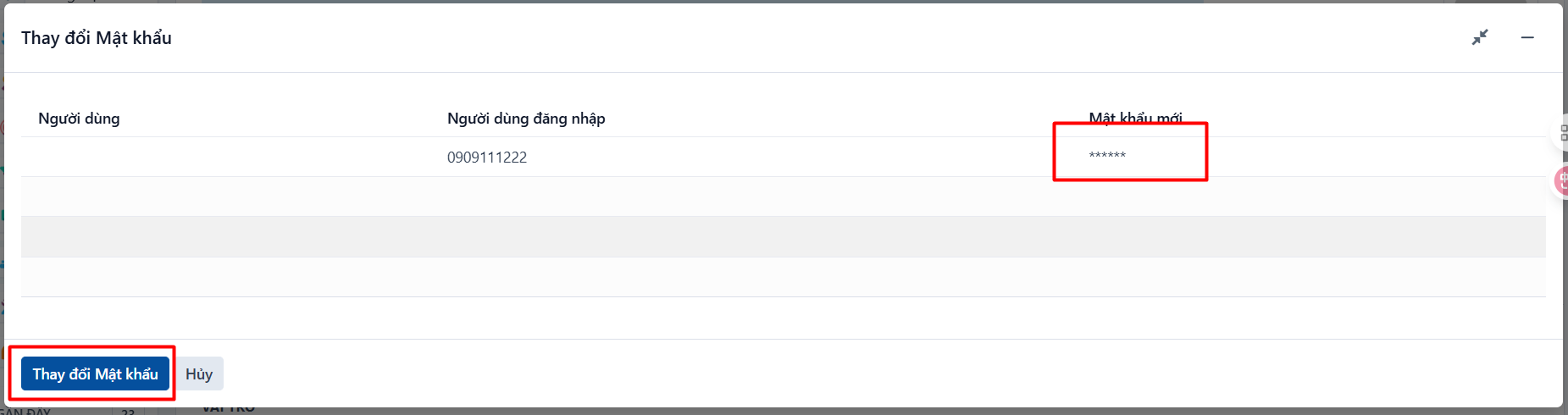
→ The dispatcher account has been created.