Overview
Freight rates are used to declare the rates applied to an order or a waybill. When calculating charges, the system uses the effective period and the applicable conditions to find the matching rate table.
Creating a rate
Step 1
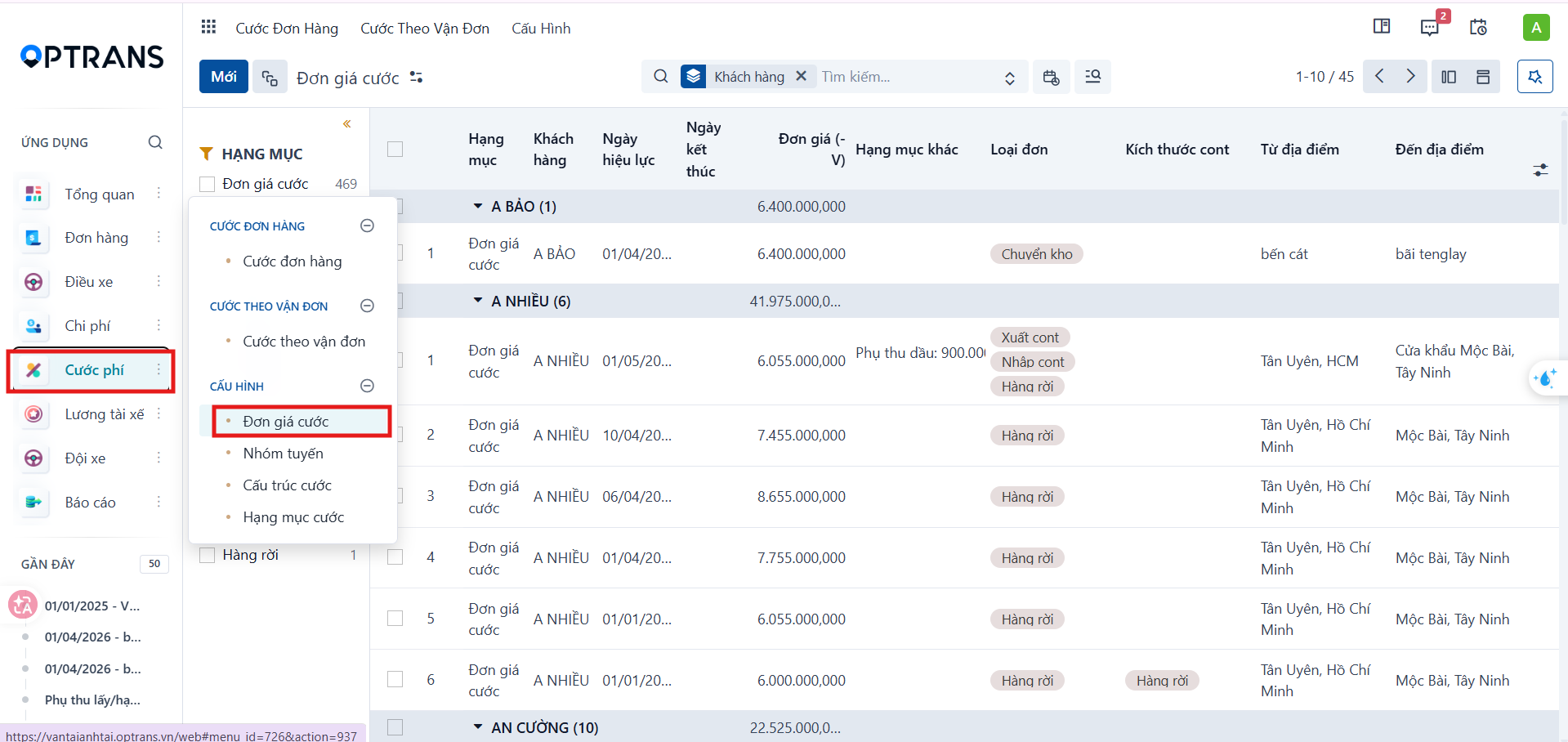
Go to Freight charges > Configuration > Freight rates.
Step 2
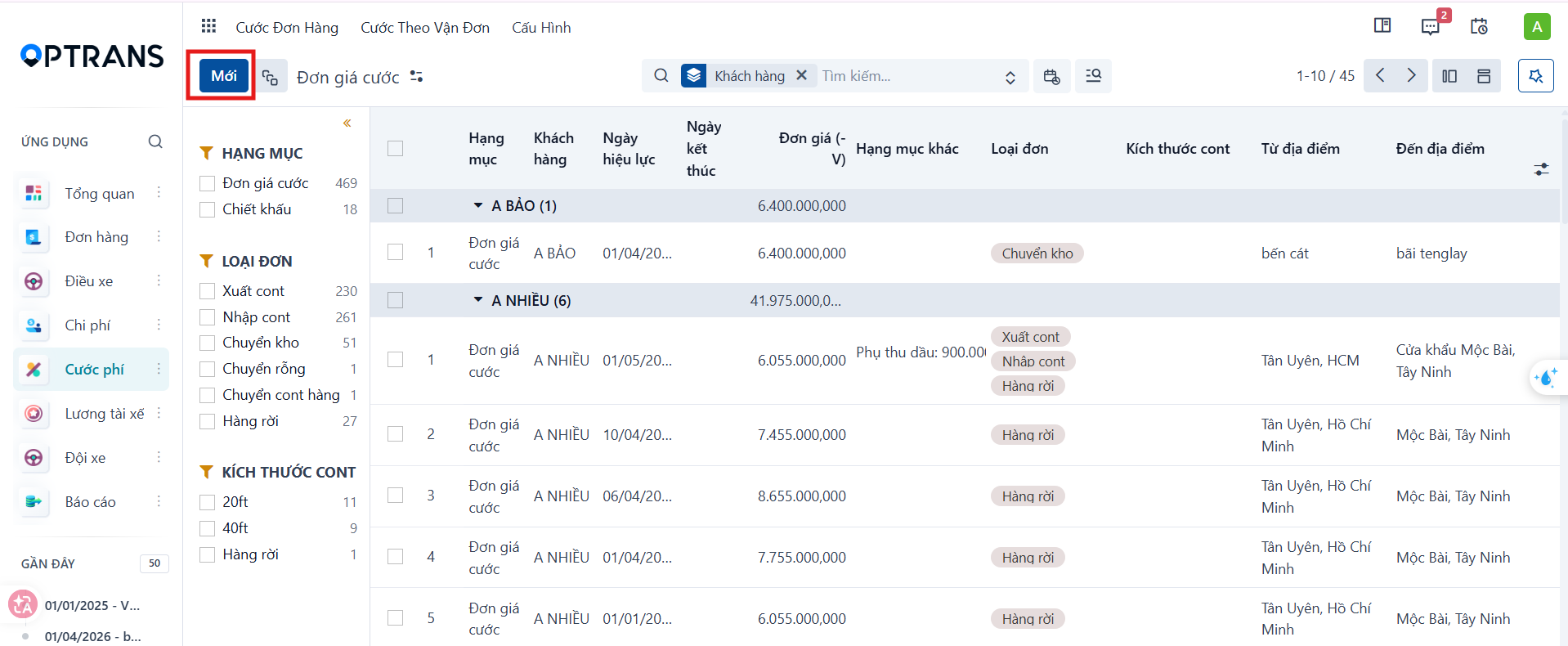
On the freight rate list screen, click New. The system opens the declaration form.
Step 3
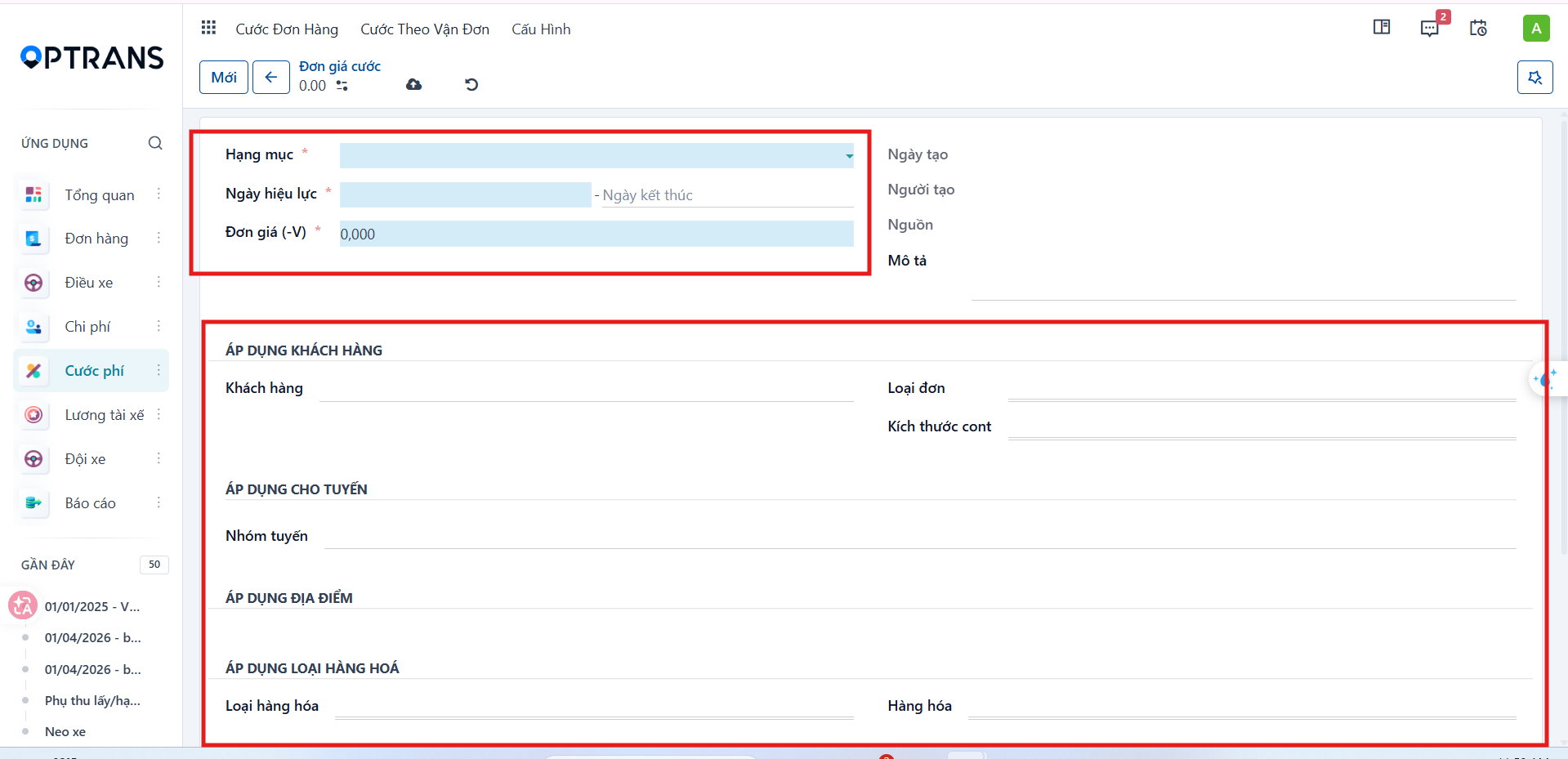
Fill in the general information for the freight rate.
| Field | Meaning |
|---|---|
| Charge item | Identifies the type of charge or fee being declared in the system. |
| Freight rate | Name of the main charge item used to calculate the transport amount for an order or a waybill. |
| Effective date | Date from which the freight rate applies. The system only uses the rate table when the transport date falls within the effective period. |
| End date | Date on which the rate stops applying. If left empty, the system treats the rate as valid indefinitely. |
| Unit price (-V) | Main rate applied to the corresponding transport route, used to calculate the total freight amount. |
| Created on | Date the rate record was created in the system. |
| Created by | User who declared or created the freight rate. |
| Source | Data source or origin of the freight rate, if the system maps data automatically. |
| Description | Additional notes about the scope or content of the rate table. |
| Customer | Customer the rate applies to; the system maps the rate by customer on the order or waybill. |
| Order type | Transport type the rate table applies to, for example Export container, Import container, Warehouse transfer or Bulk cargo. |
| Container size | Condition based on container size, such as 20ft, 40ft or Bulk cargo. |
| Route group | Main transport route the rate applies to; the system uses the route group to find the rate table automatically. |
| From location | Origin of the transport route. |
| To location | Destination of the transport route. |
| Cargo type | Cargo group the rate table applies to, for example refrigerated cargo, dangerous goods or bulk cargo. |
| Cargo | Specific cargo item the rate applies to, if you need to limit it to one type of cargo. |
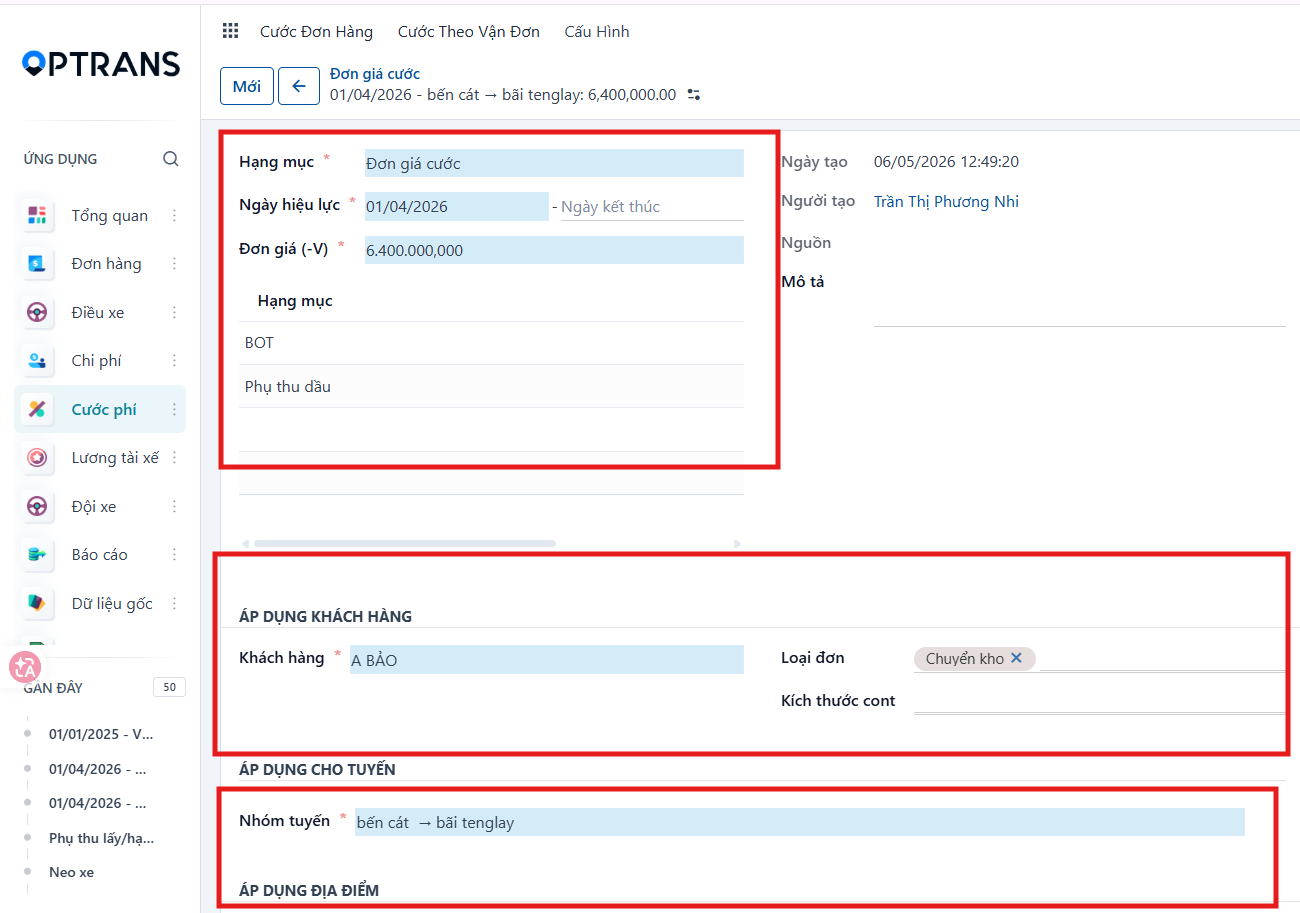
Saving the freight rate
Click Save manually to record the data.
The system uses this configuration when:
- Calculating order charges.
- Calculating waybill charges.
- Mapping rate tables automatically.
PREVIOUSMonthly salary overview