On the main menu bar, select Freight charges. In the list of functions, select ‘Overview’:

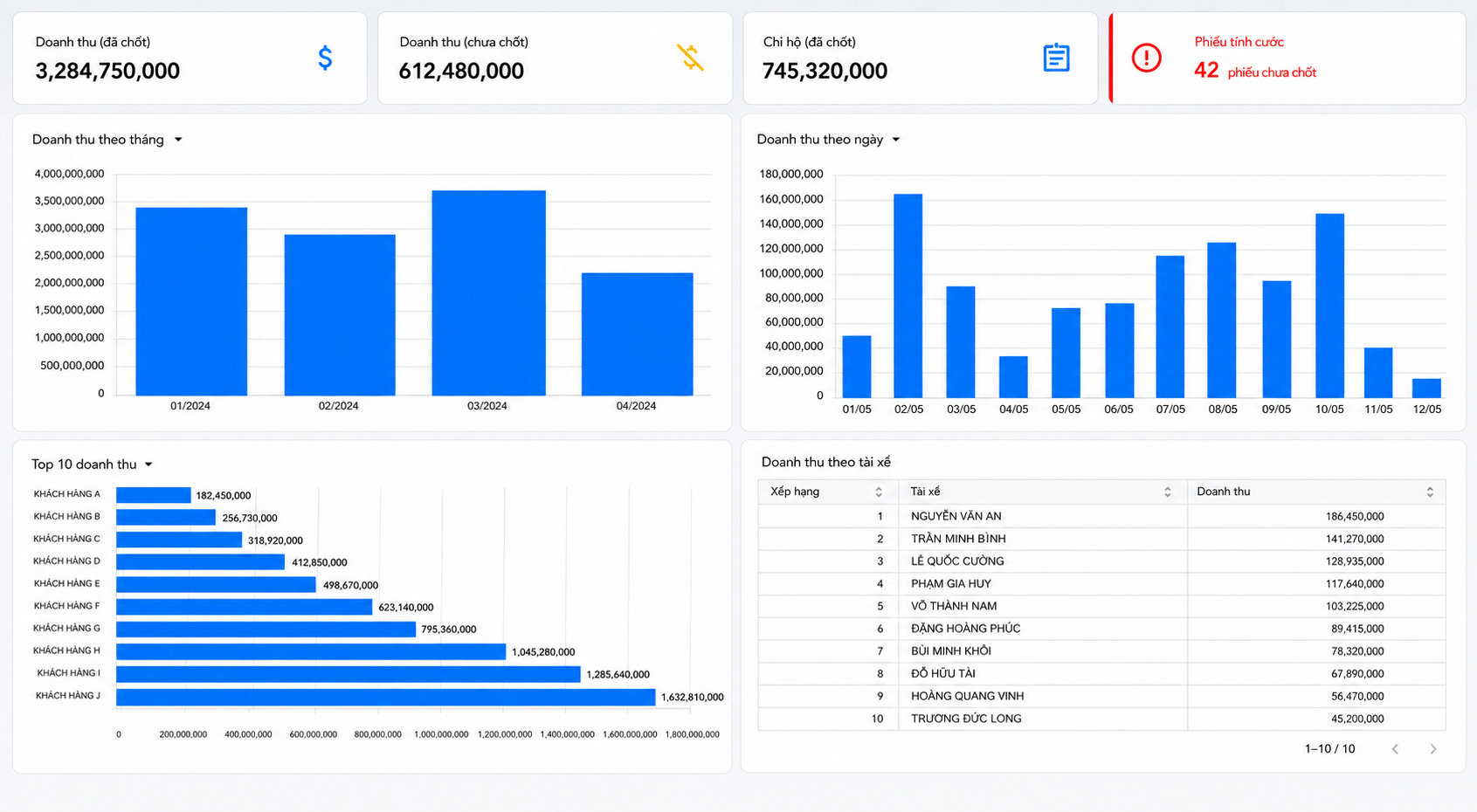
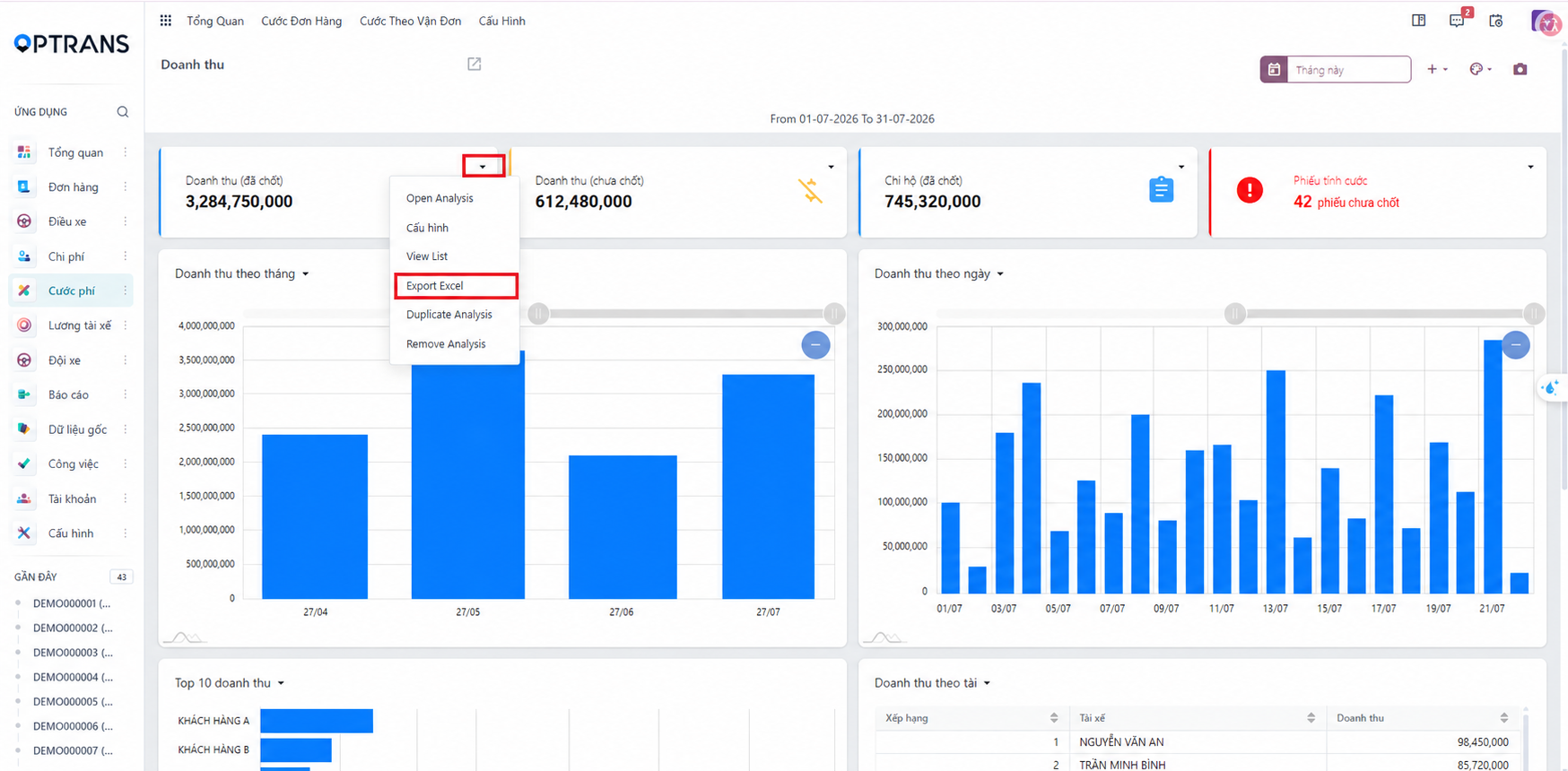
Exporting the revenue data to Excel:
- On the Revenue overview screen, find the table whose data you want to export.
- Click the arrow icon in the top right corner of the table.
- Select Export Excel. The system generates an Excel file with the data of the selected table and downloads it to your device.
PREVIOUSOverview report