Ways to fill in waybill information
-
Option 1: fill in each waybill one at a time.
-
Option 2: use “Mass Edit” to update many waybills at once.
Option 2: Mass Edit — updating many at once
Step 1
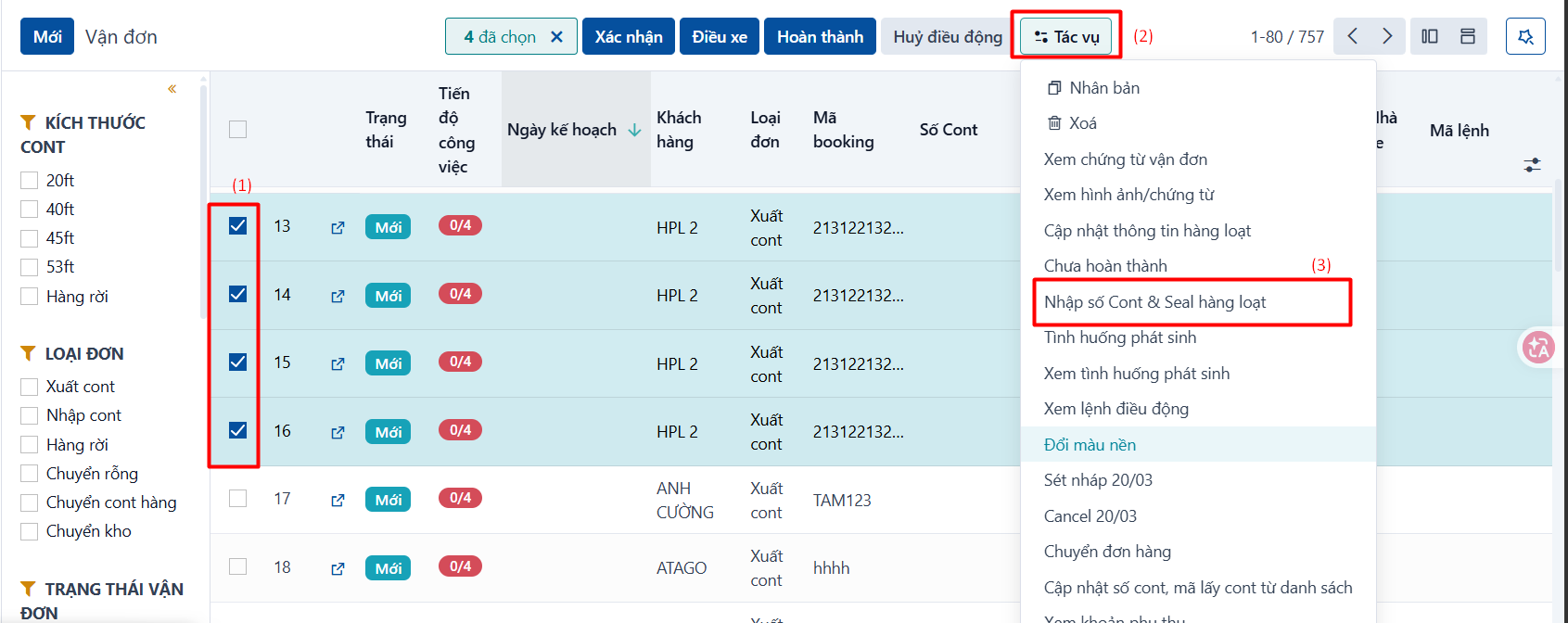
On the container and waybill list, tick the waybills you want to update in bulk (1) → click Actions (2) → click the “Mass Edit” entry for that order type (3).
Step 2
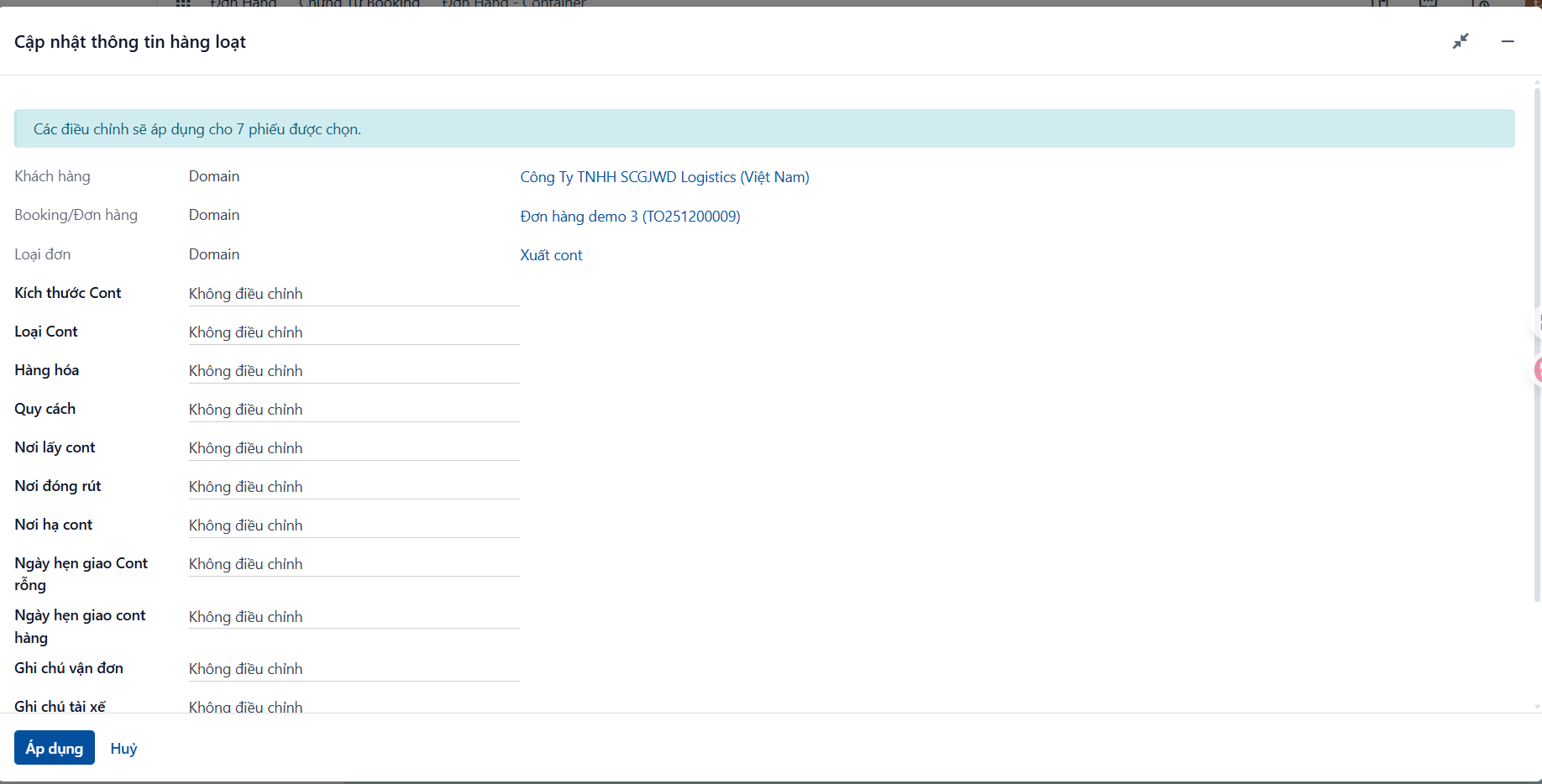
The system shows the popup below. Enter values for the fields you want to change:
-
Fields to change: choose Set and enter the value next to it.
-
Fields to leave alone: leave them on Don’t touch.
Step 3
Click APPLY on the popup to update them all.
Note
The system only lets you select waybills that belong to the same order for a bulk update.