The system supports two languages, English and Vietnamese. To switch language, do the following:
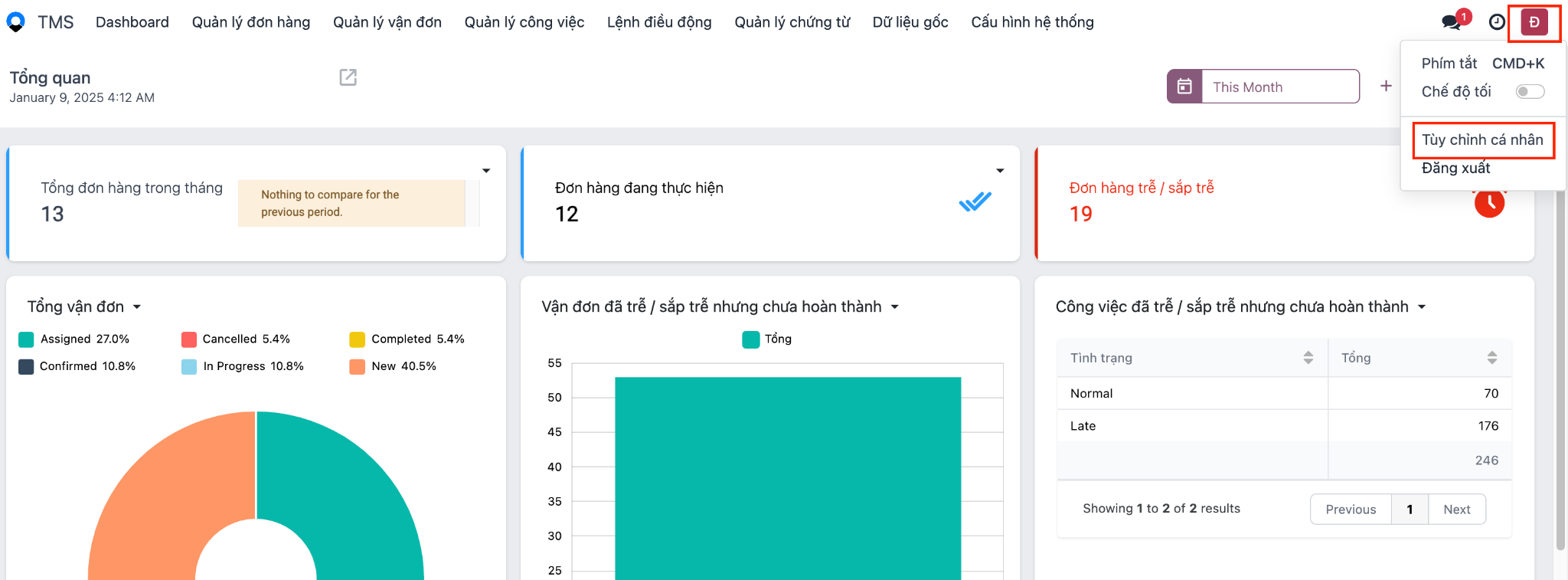
- Click your avatar in the top right corner → click Preferences:
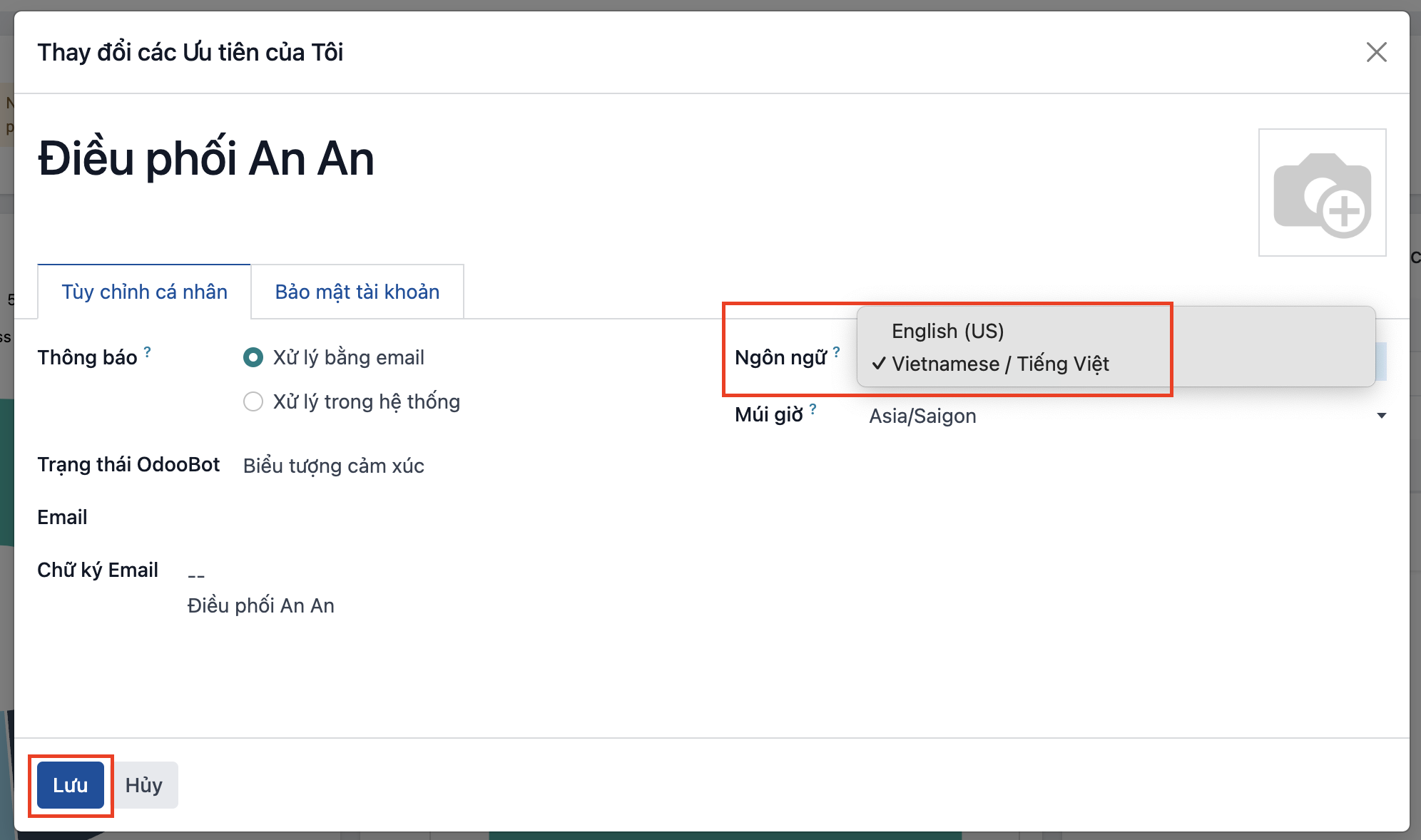
- The system shows a popup → select the language you want → click save:
Note:
- If you have several tabs open, reload each of the other tabs (F5) after switching so they also display in the new language.
PREVIOUSChanging your password