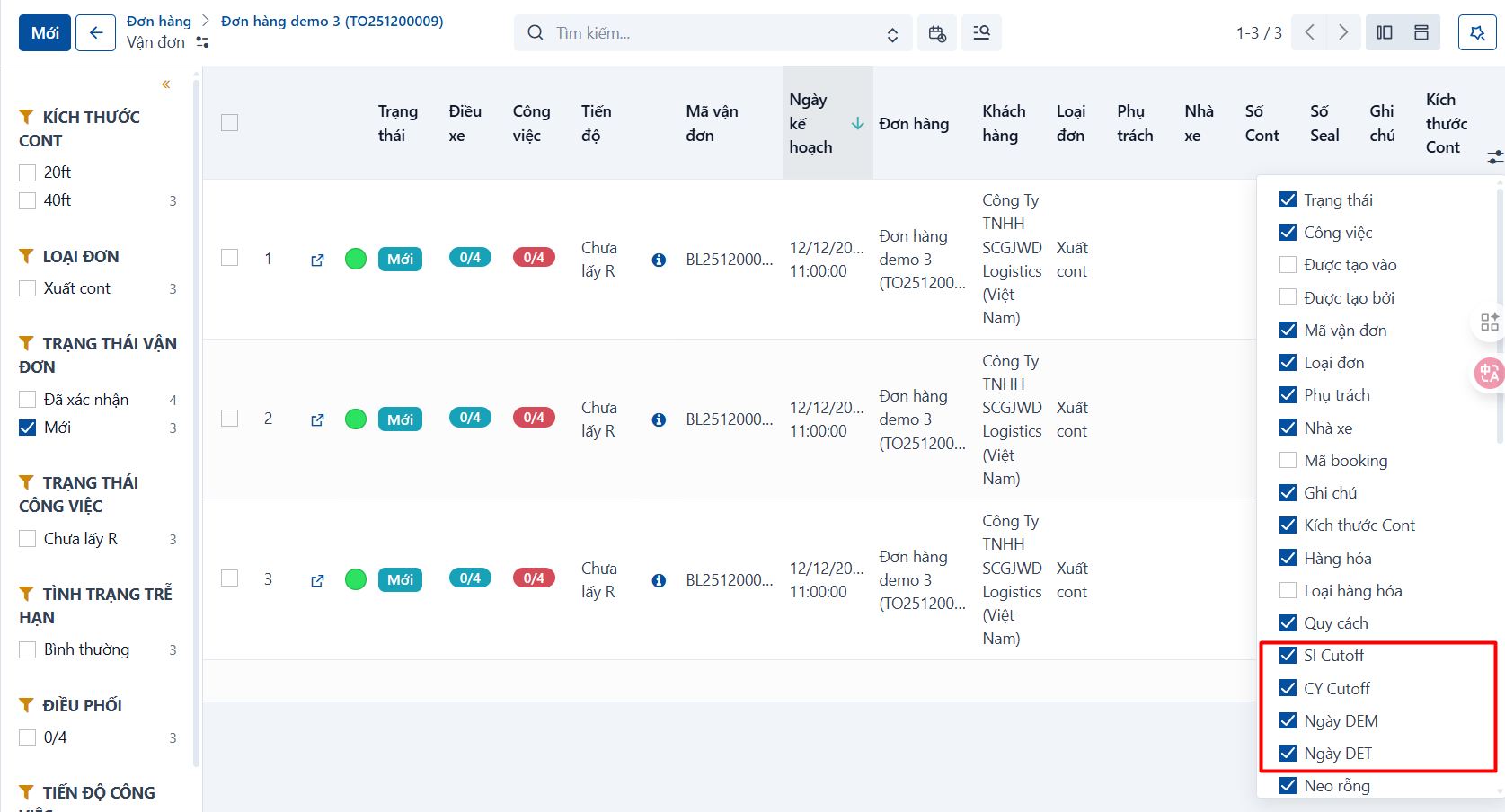
By default the system sorts containers and waybills by planned date, newest first.
-
The “Planned start” column: the system takes the planned date of the first task in that waybill.
-
The “Planned end” column: the system takes the planned date of the last task in that waybill.
-
The Timeline columns: the system collects the important dates of the waybill in these columns.
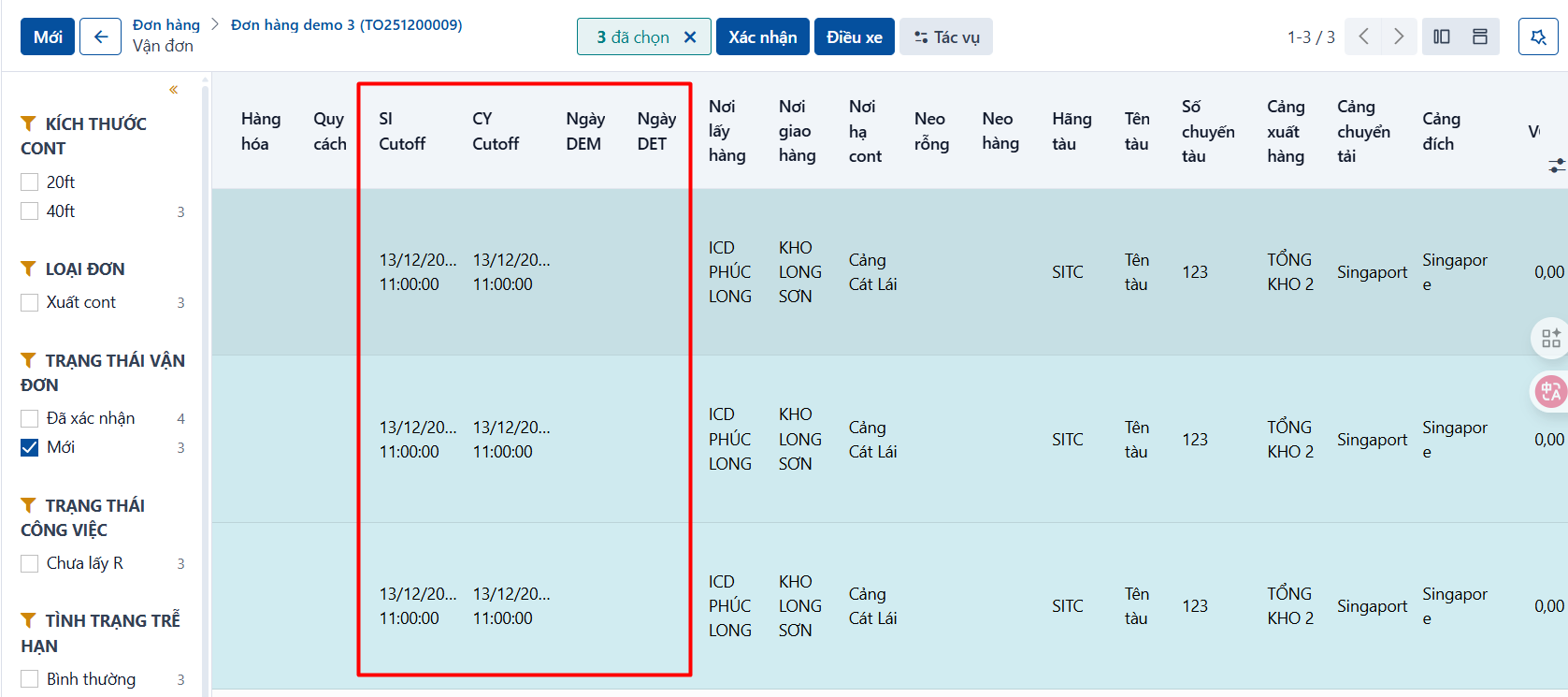
If you need specific date columns for sorting or for a closer look, click the icon at the end of the header and turn on the fields you want: