Purpose
Salary standards are used to declare the salary rate for each transport route. The rate can differ by area, order type, container size and customer.
Access
Menu: Driver salary > Configuration > Salary standards
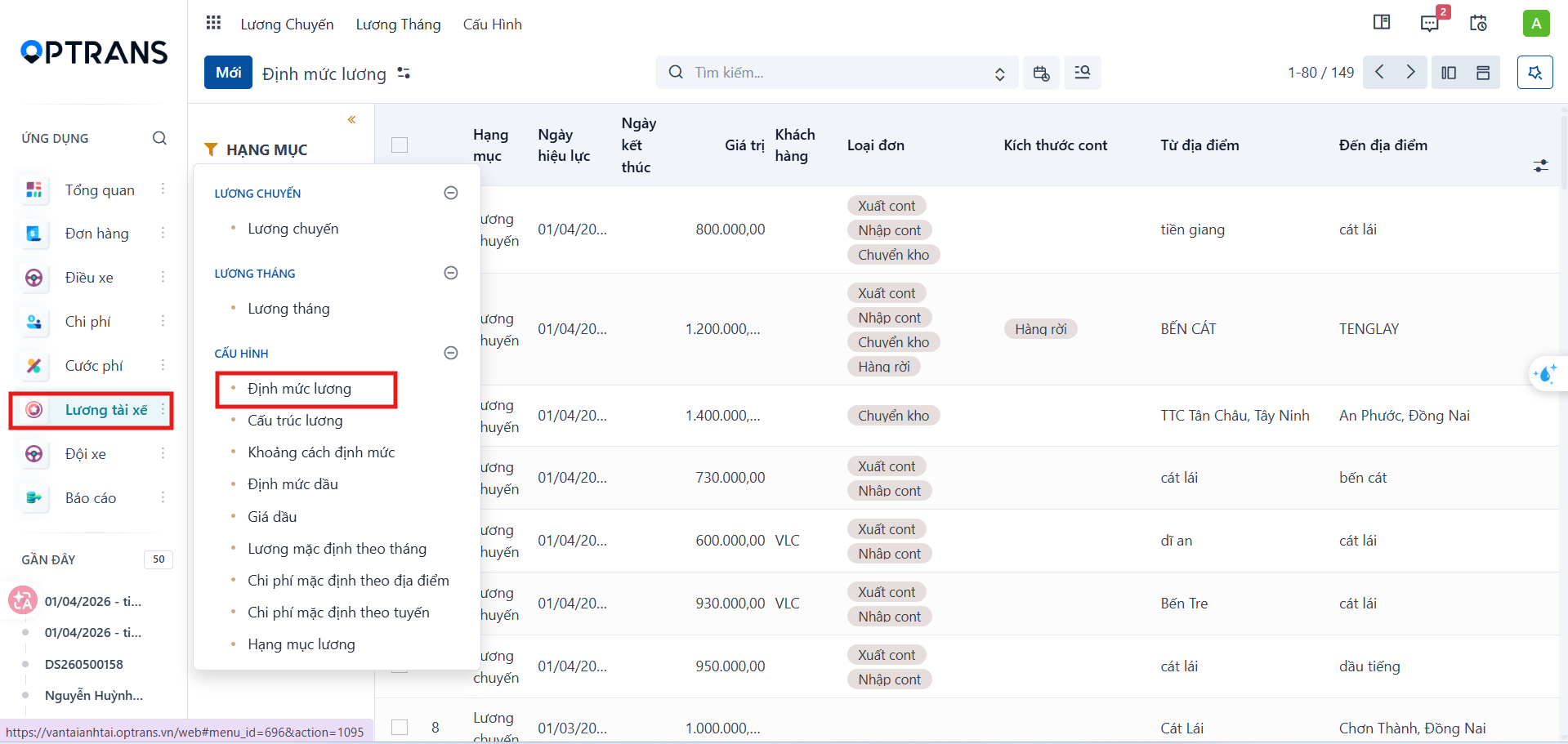
Creating a salary standard
Step 1
Click New.
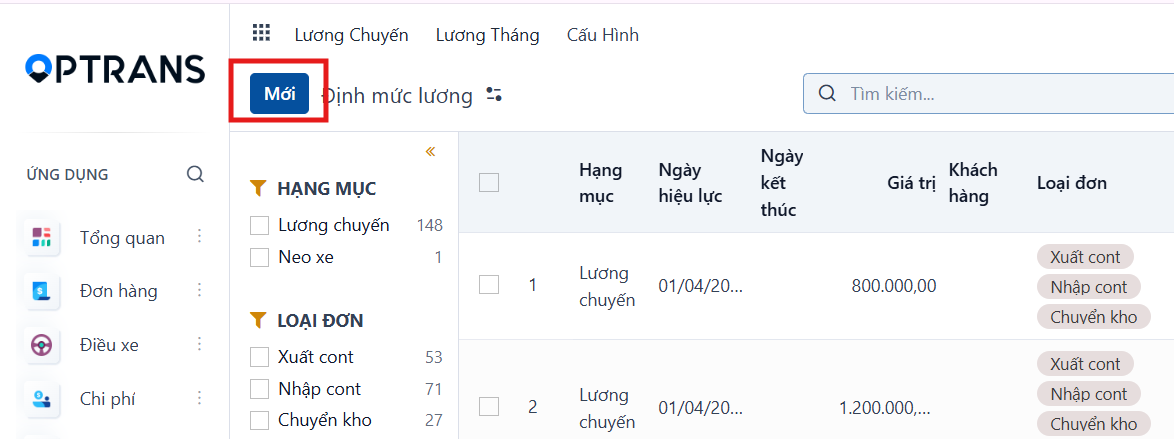
Step 2
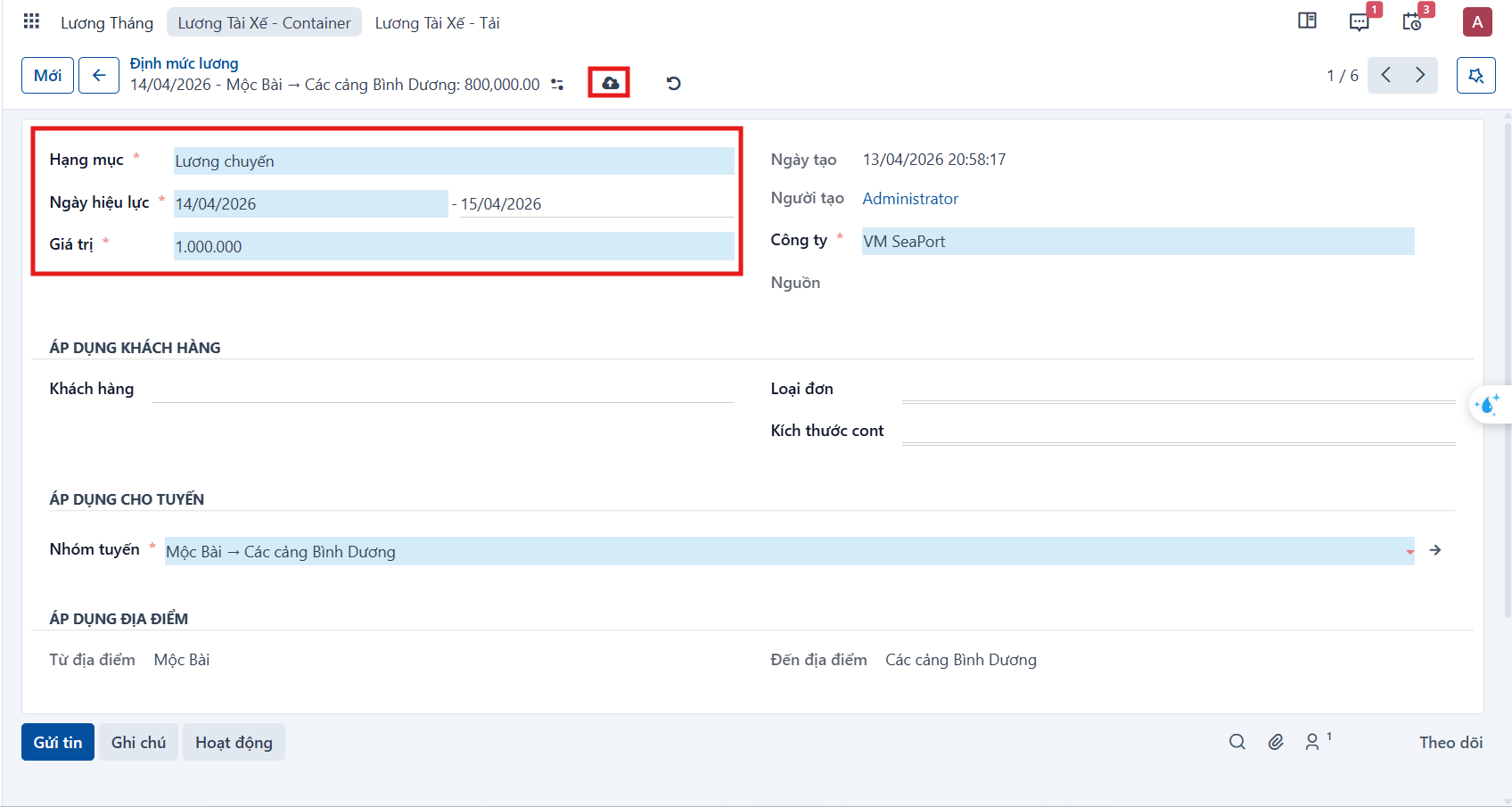
Enter the general information, and the conditions for the customer and the route.
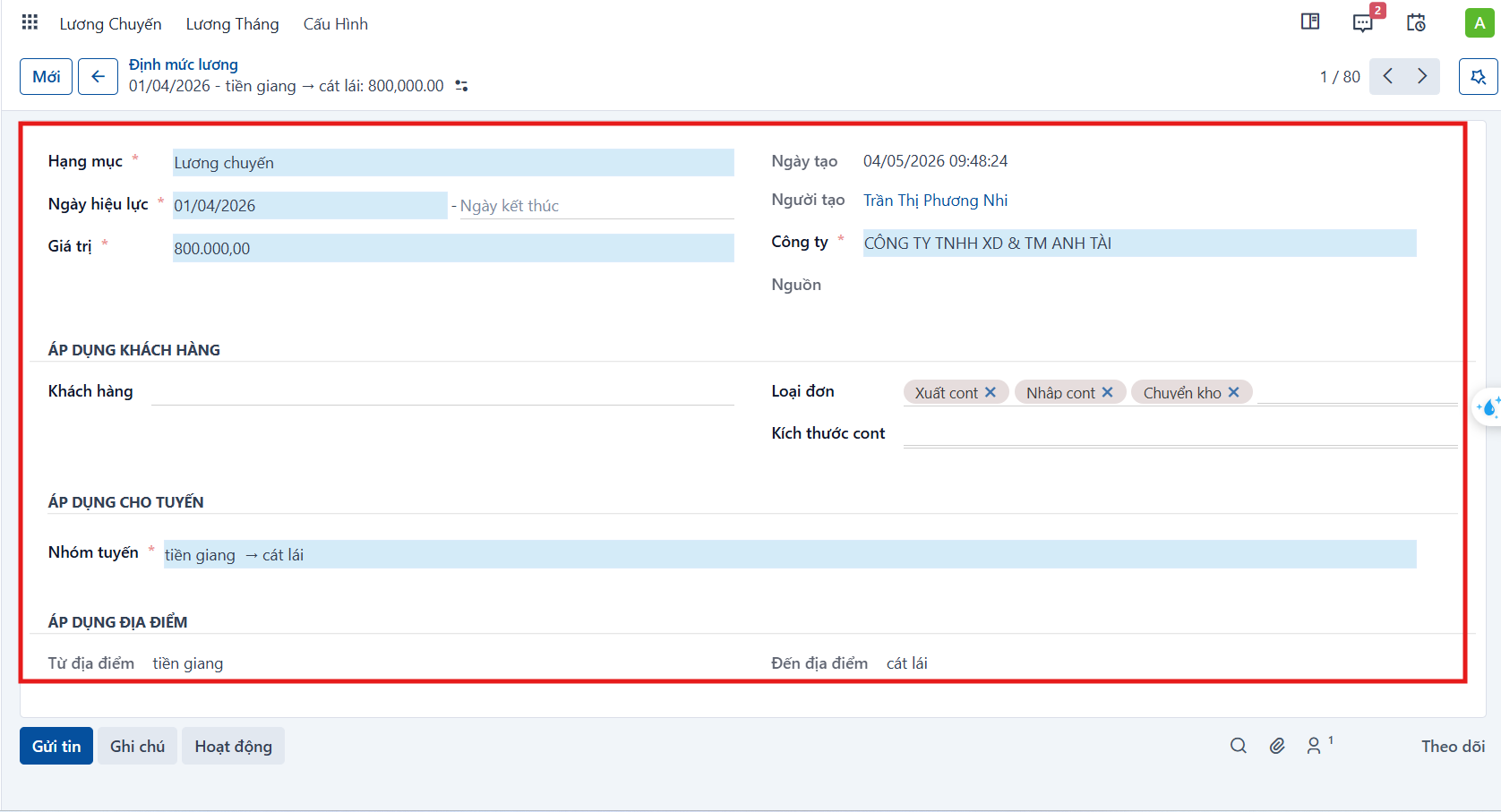
| Field | Meaning |
|---|---|
| Item | Salary item that applies. |
| Effective date | Date the standard starts applying; you can also declare an end date. |
| Value | The salary rate. |
| Company | Company the standard applies to. |
| Customer | Customer the standard applies to specifically, if any. |
| Order type | Order type it applies to, such as Export container, Import container or Warehouse transfer. |
| Container size | Container size it applies to, such as 20ft, 40ft or Bulk cargo. |
| Route group | Transport route it applies to. |
| From location / To location | Location range of the route it applies to. |
Step 3
Click Save manually to save the standard.

Editing a salary standard
Step 1
Select the standard you want to edit from the list.
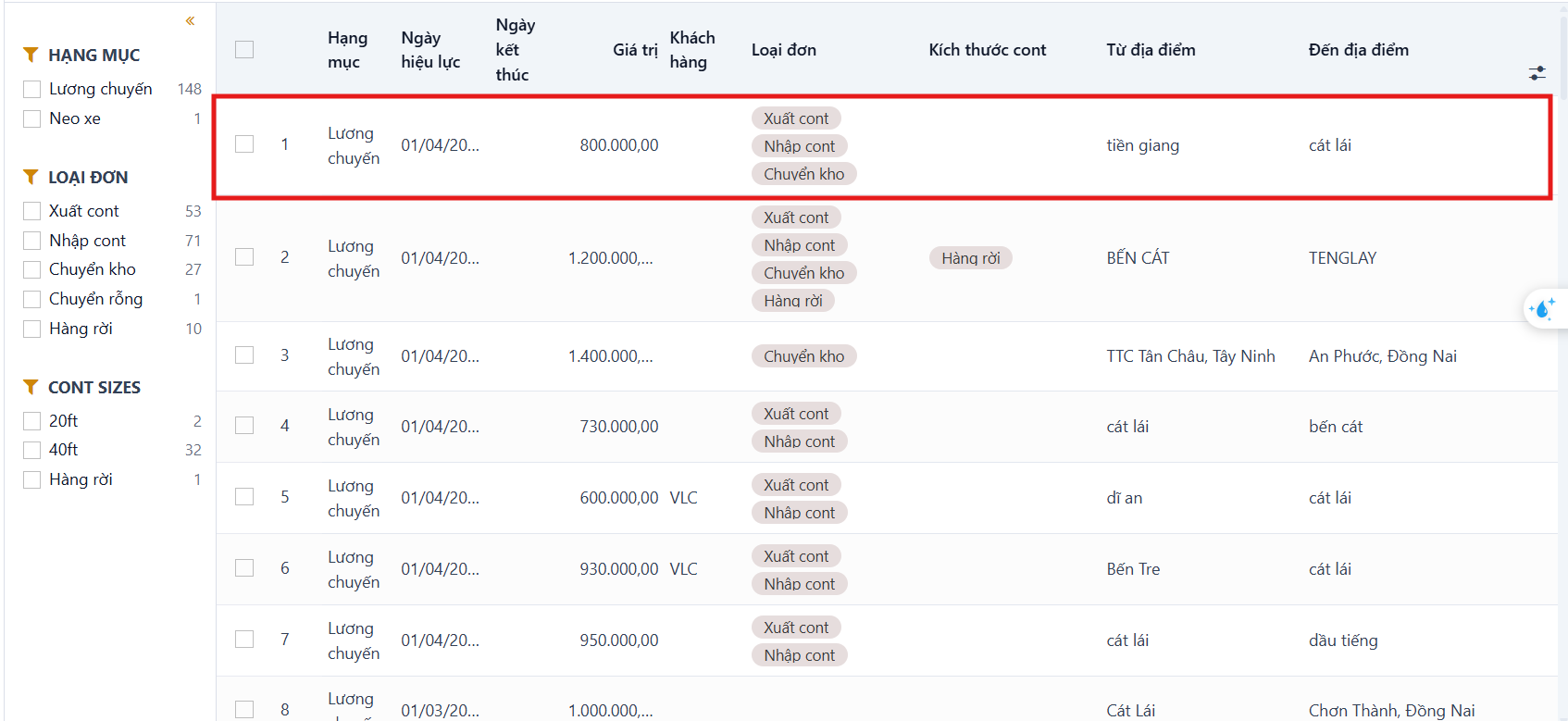
Step 2
Change the information you need, then click Save manually.
Deleting a salary standard
Step 1
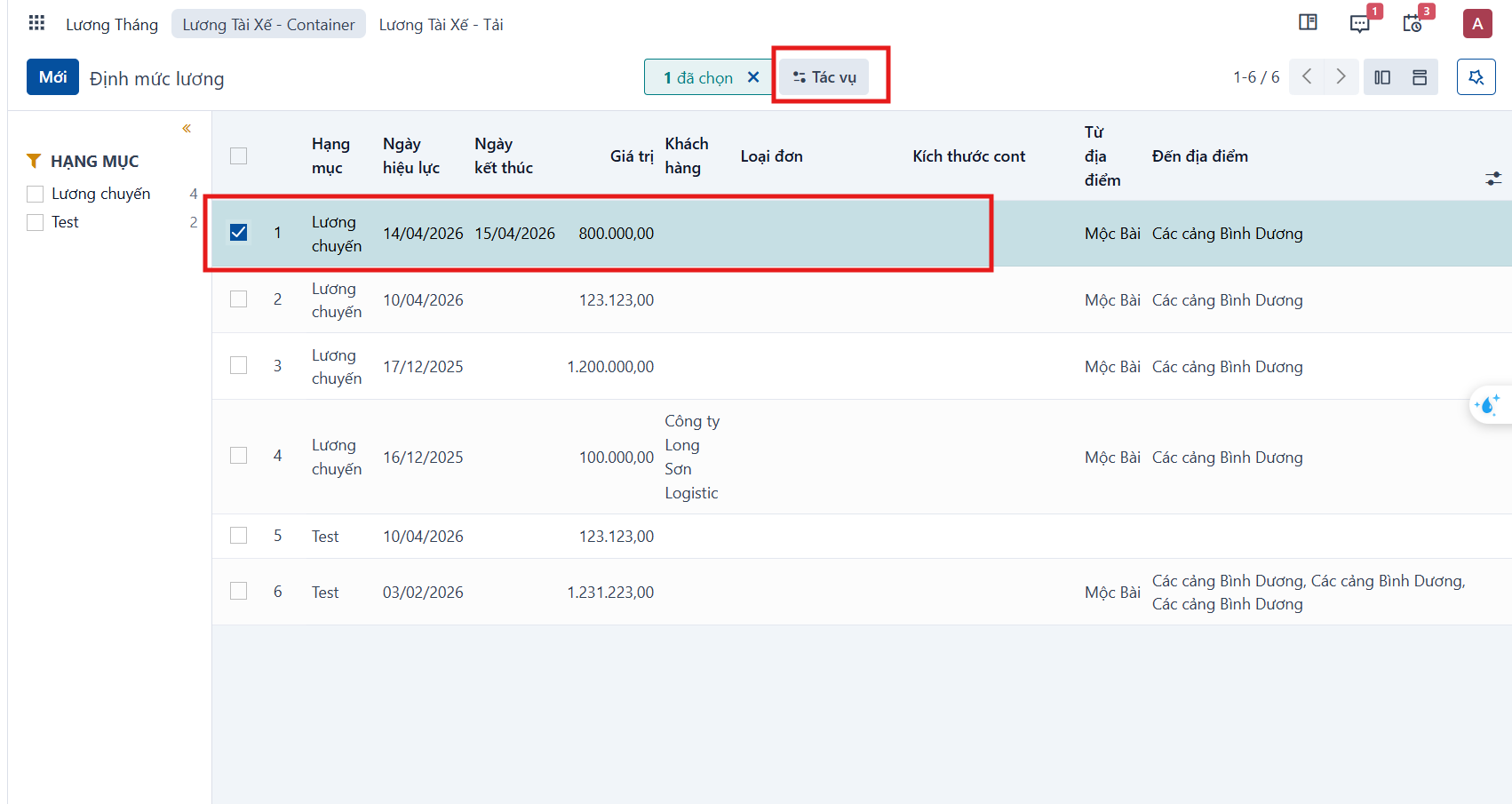
Select the record you want to delete.
Step 2
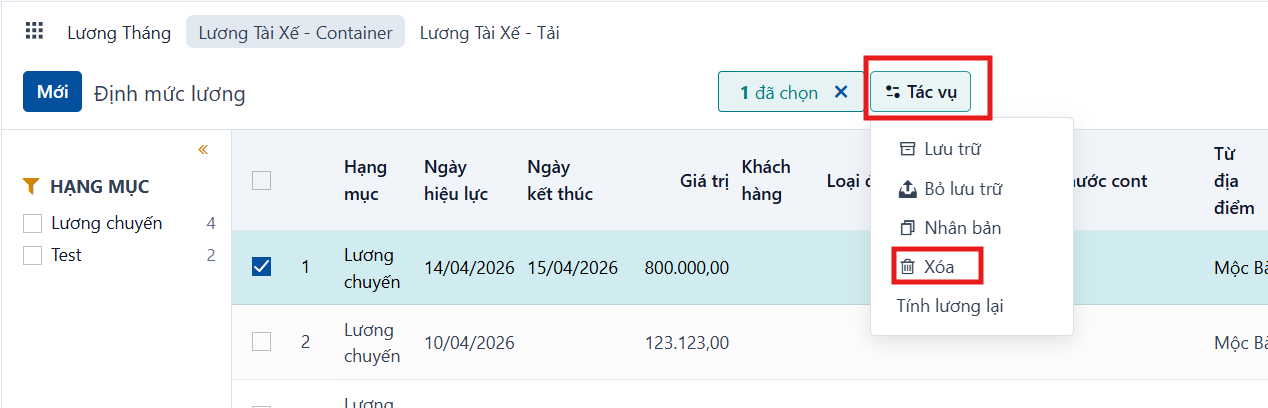
Select Actions > Delete.
Step 3
Confirm with the Delete button. This removes the record permanently.
