Access
Menu: Master data > Container transfer plans
Access rights: Users with Master Data management rights
Use the path above to open the screen where you create container transfer plans at the port.
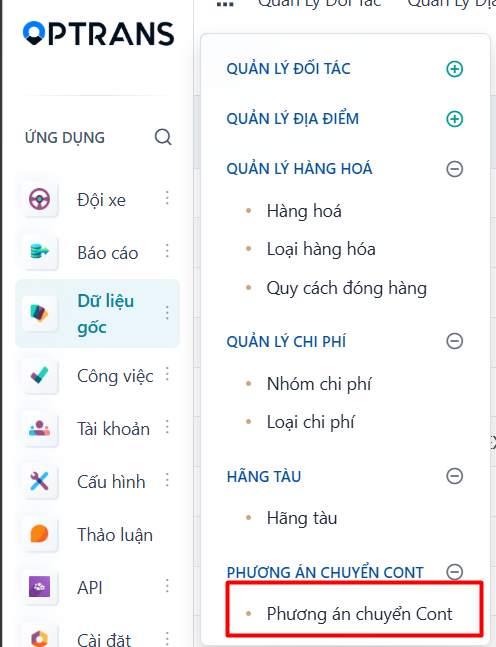
Steps
Step 1
Click NEW to create a new container transfer plan.

Step 2
Enter the transfer options.
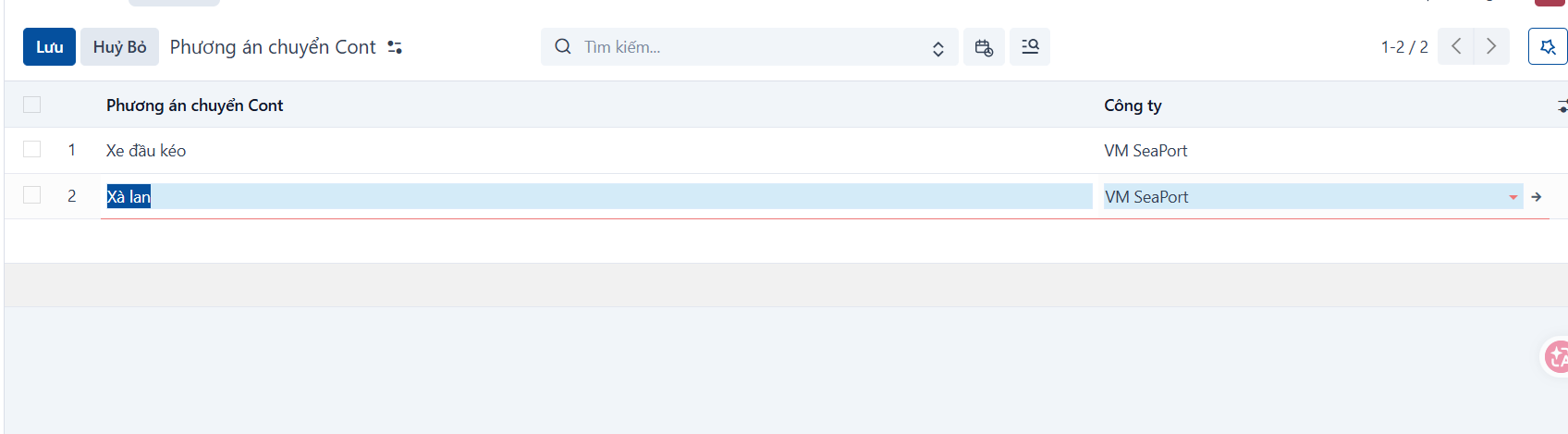
| No. | Field | Notes |
|---|---|---|
| 1 | Container transfer option | Enter the name of the option. |
| 2 | Company | Select the company the option belongs to. |
Step 3
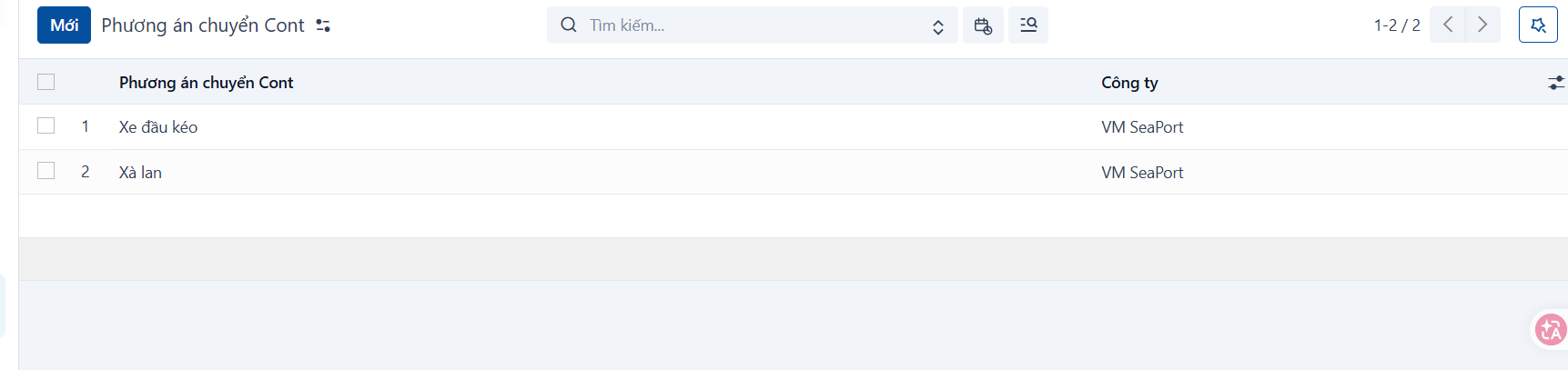
Click SAVE and the system creates the new record.
PREVIOUSShipping line catalog