For an “Export a full container” waybill, the driver enters the container and seal numbers in the mobile app when they complete the “Pick up empty container” task, and both are synchronised from the mobile app to Odoo.
For an “Import a full container” waybill, the dispatcher has to fill both in after the waybill is created. Here is how to do that quickly from the waybill list, without opening each waybill:
Step 1
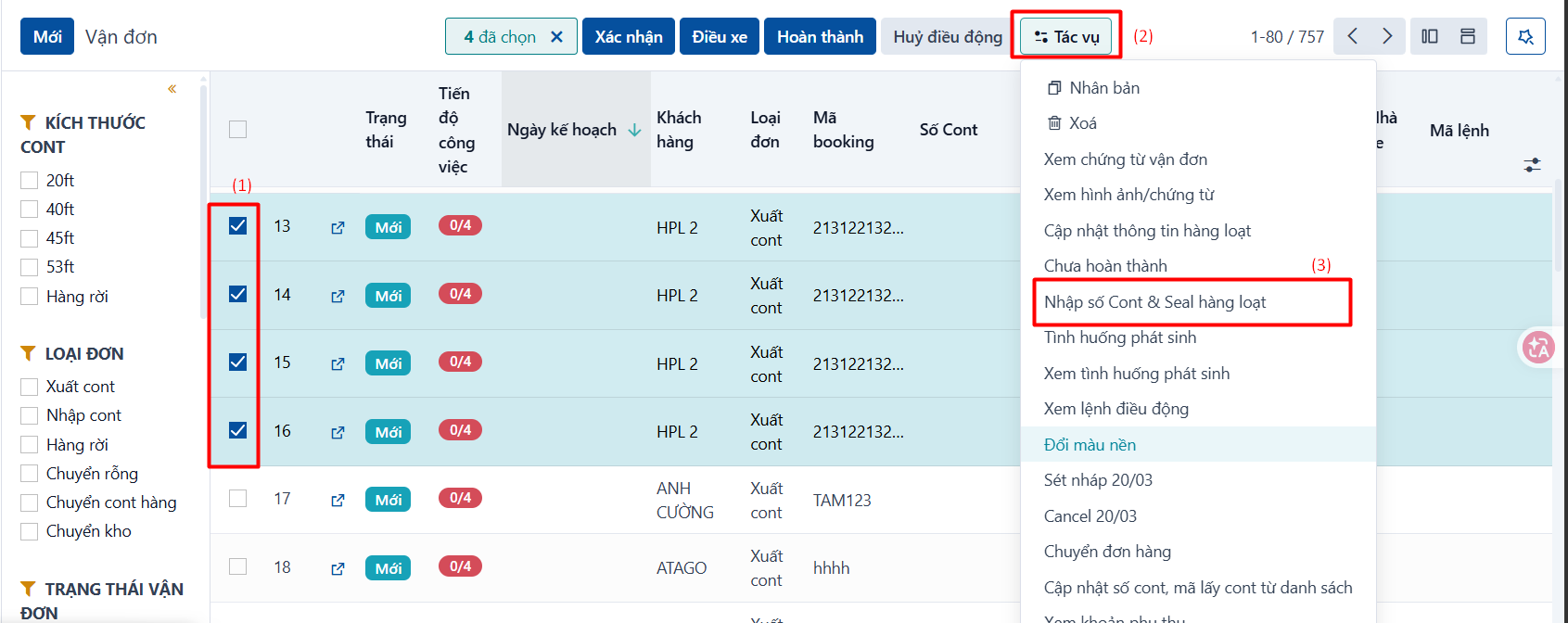
On the container and waybill list, tick the waybills whose container and seal numbers you want to update (1) → click Actions (2) → click the “Enter container & seal numbers in bulk” entry for that order type (3).
Step 2
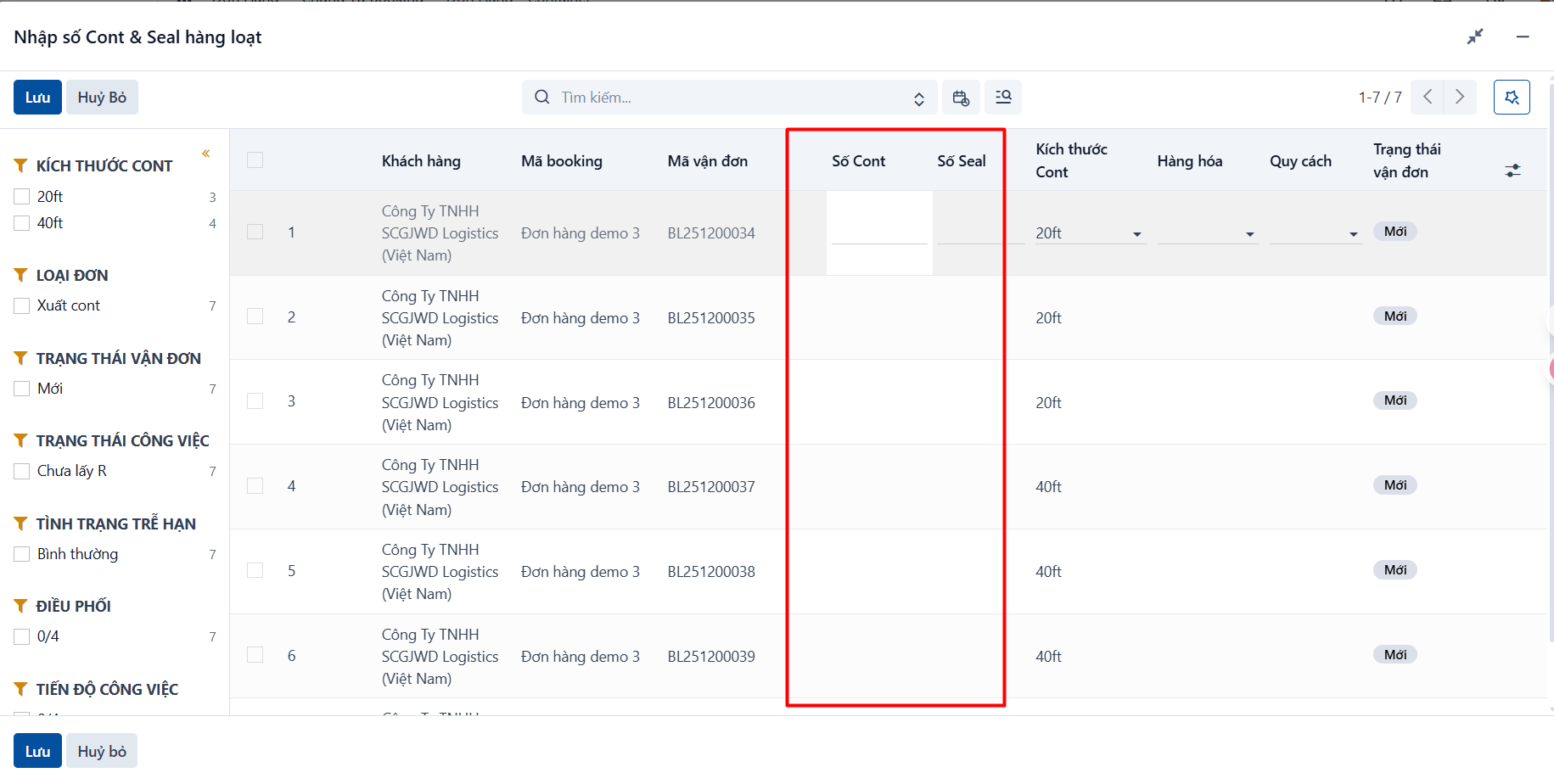
The system shows the popup below. Click each “Container number” and “Seal number” cell of each waybill to fill it in.
Step 3
Click Save to store the container and seal numbers you entered.